

Administrators
Administrators help manage operations and have more permissions than regular members.
Follow these steps to add administrators in KumiteTechnology.
Roles
- Admin – Full system access. Can edit information, manage bouts, change results.
- Manager – Runs matches at the tatami. Acts as the tatami secretary during fights.
- Inspector – Enters participant weights and activates competitors during the accreditation (weigh-in) process.
- Photographer – Uploads and manages tournament participant photos.
Send an Invitation
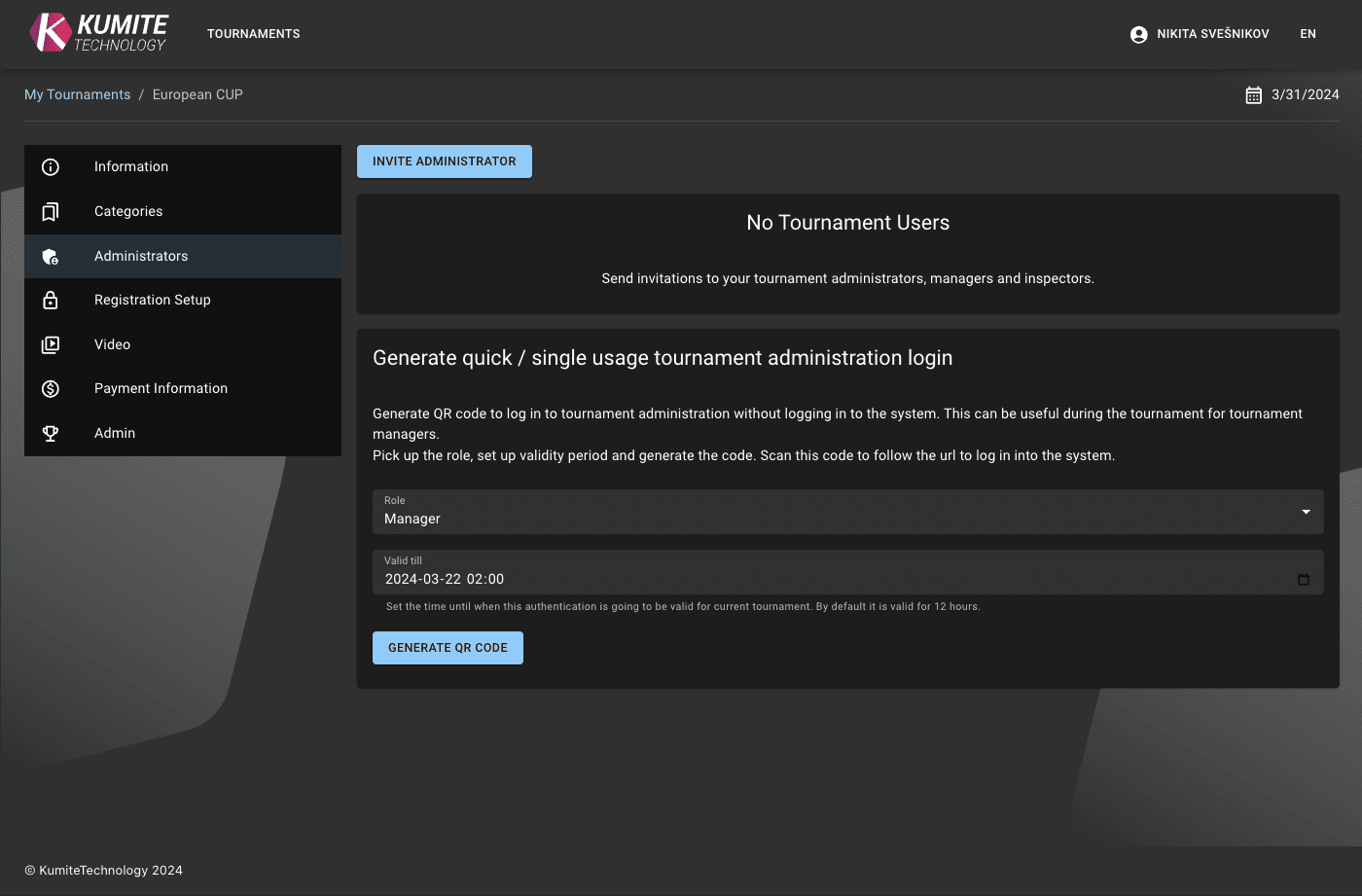
1. Go to Administrators
Open your tournament settings dashboard and select Administrators from the navigation menu.
2. Invite Staff
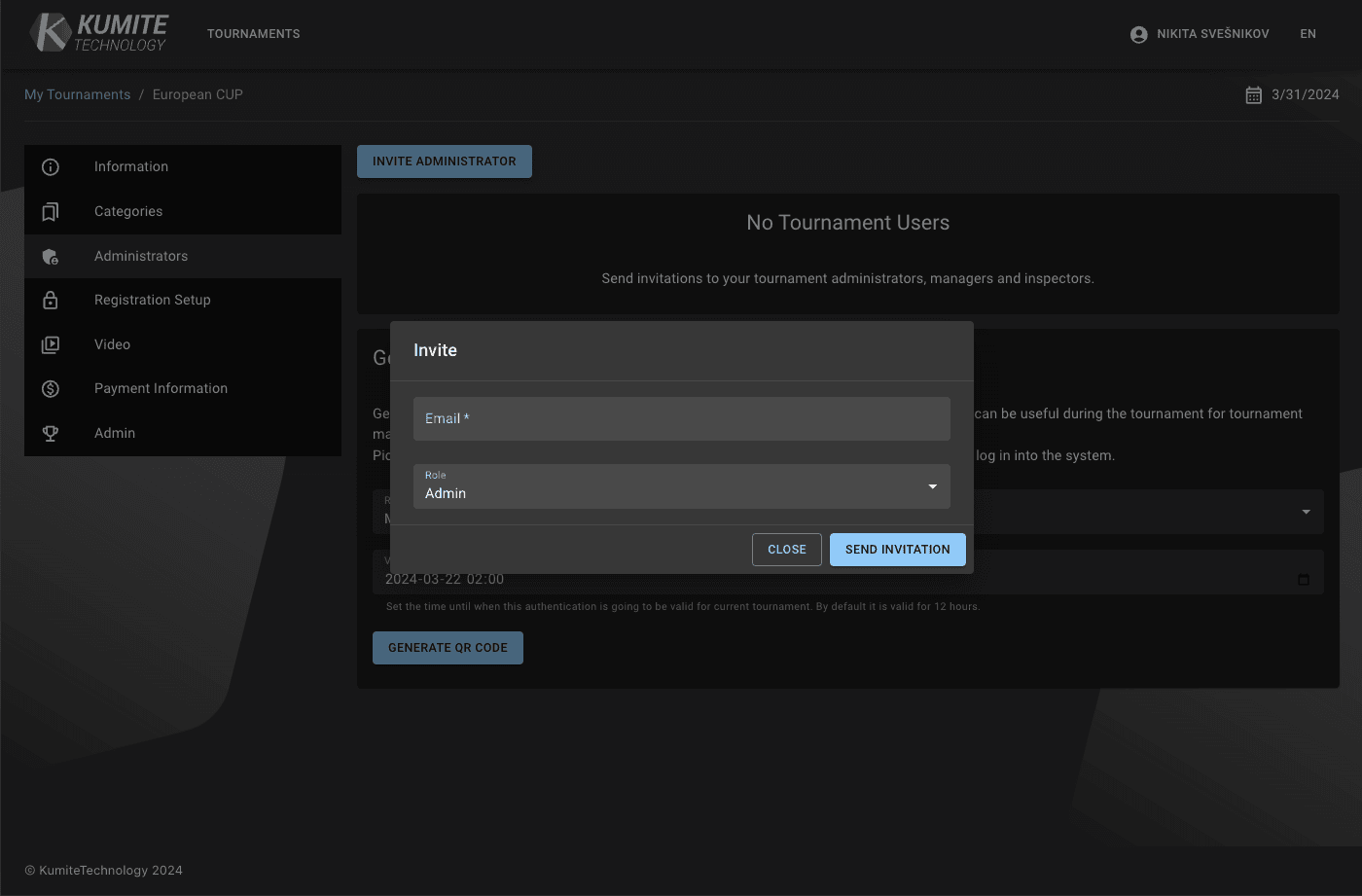
Click the Send invite button. Enter the person's email address and click Send invitation.
3. Confirmation
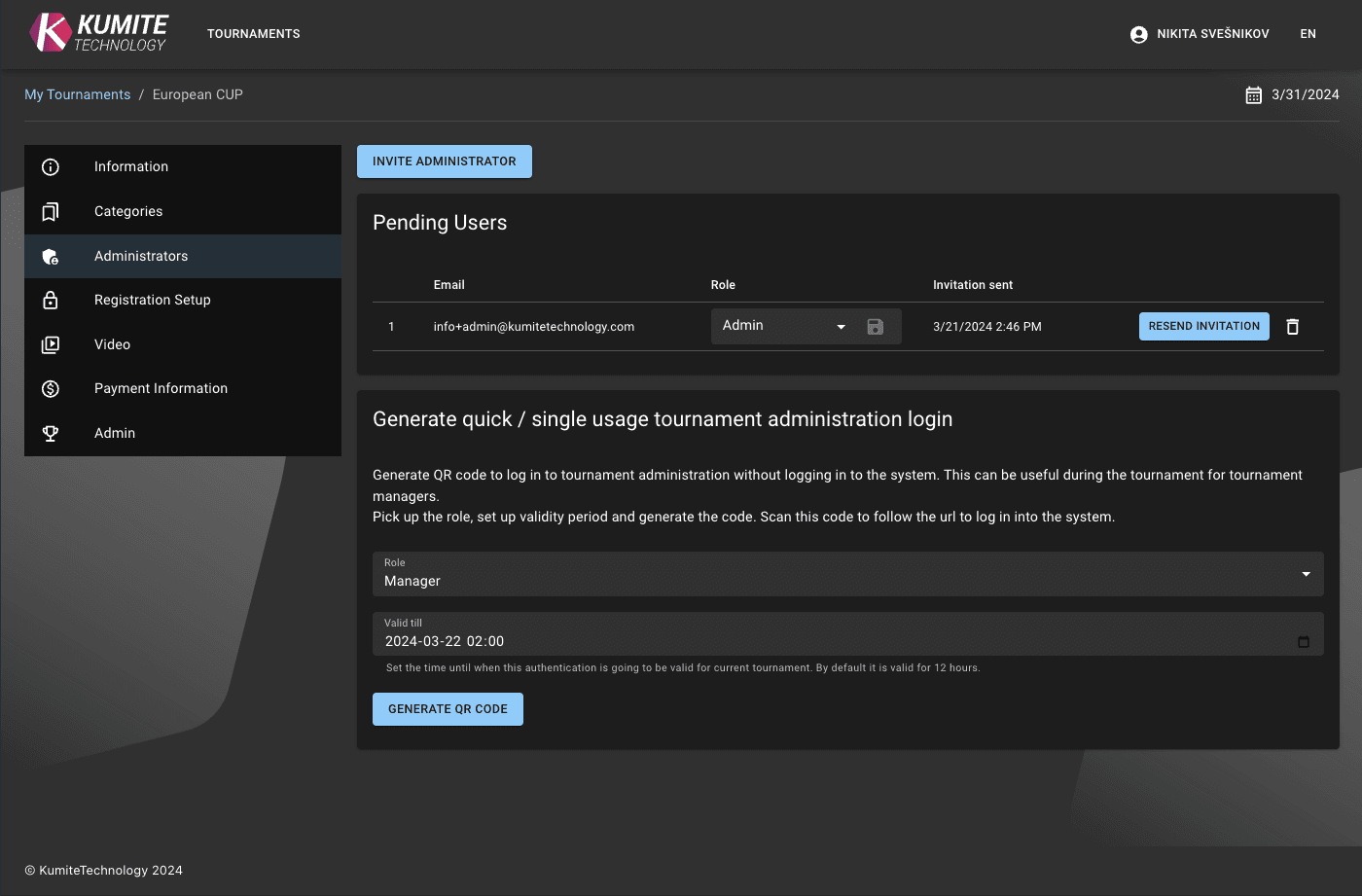
You will see a success message, and an email will be sent to the invitee.
Accept an Invitation
1. Open Email
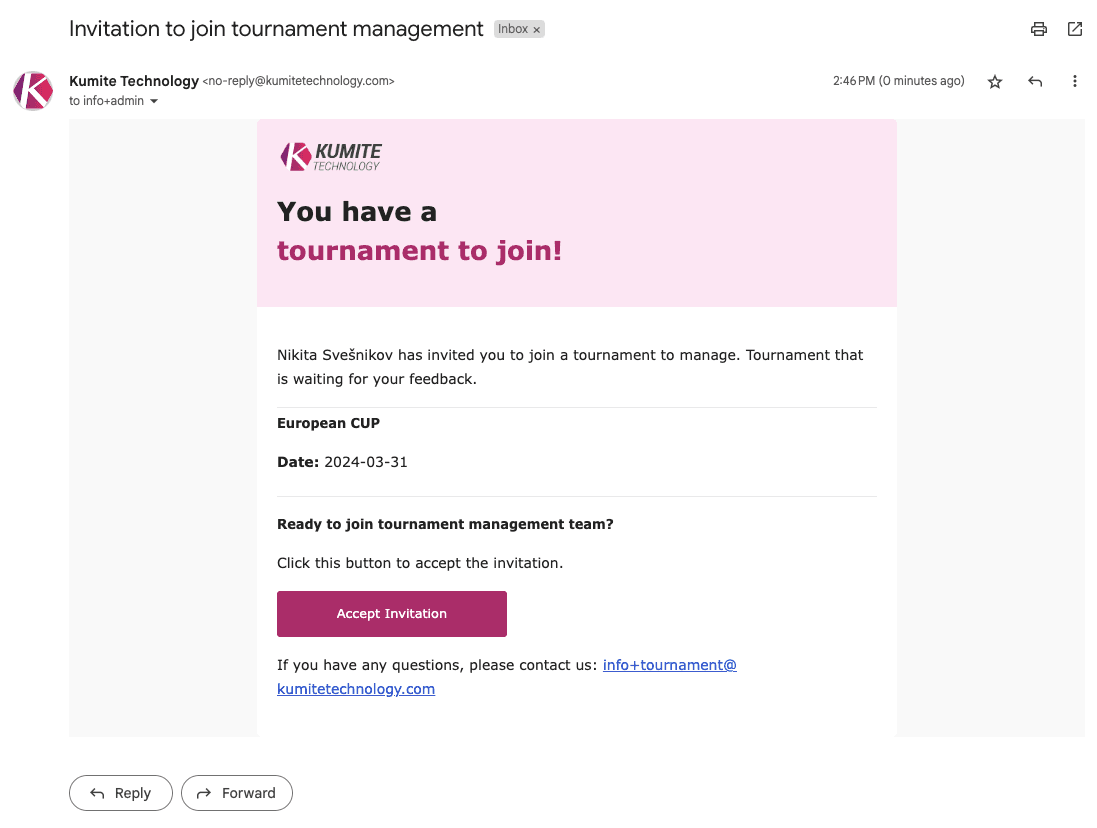
The person will receive an email with an invitation link.
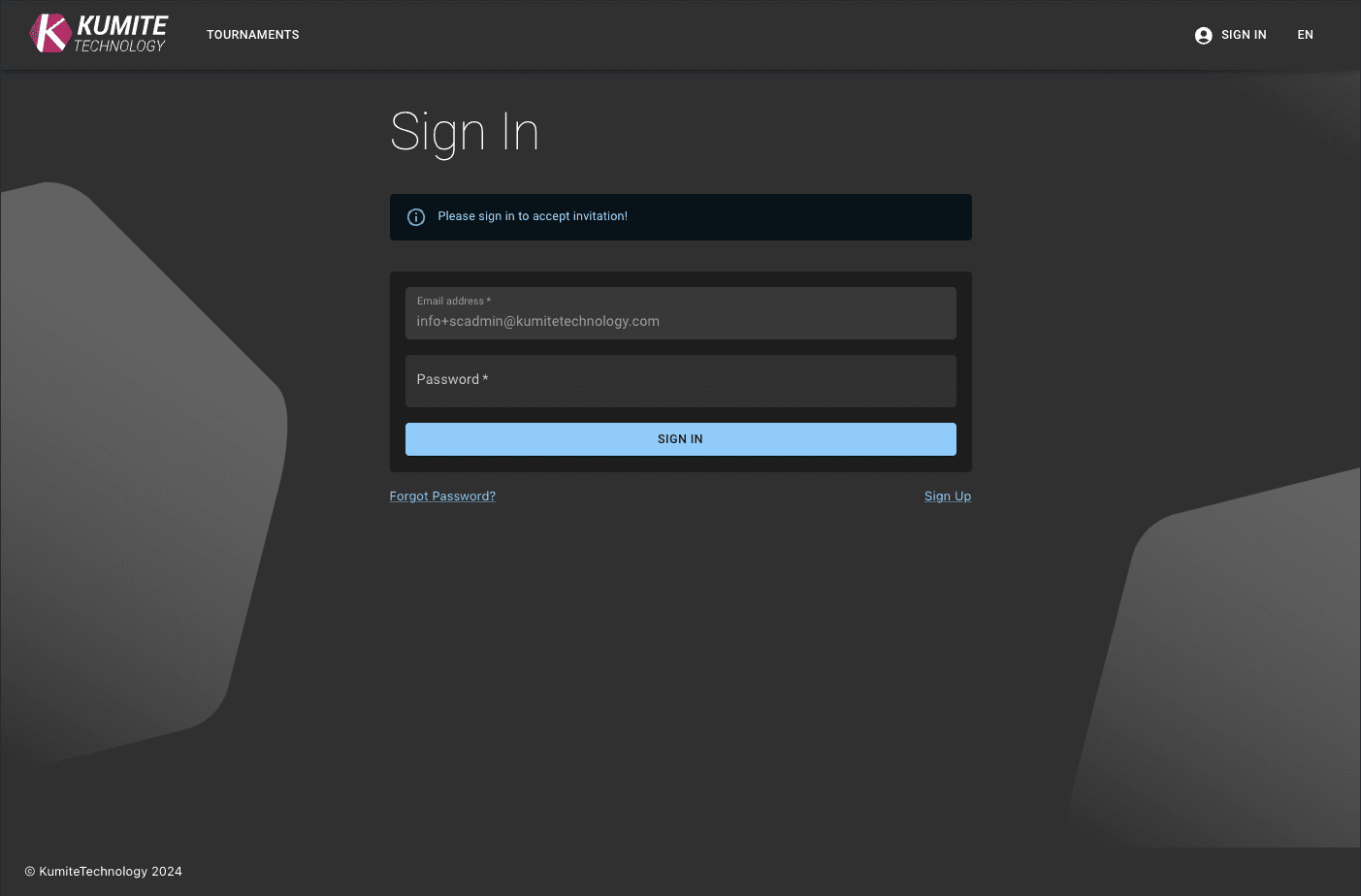
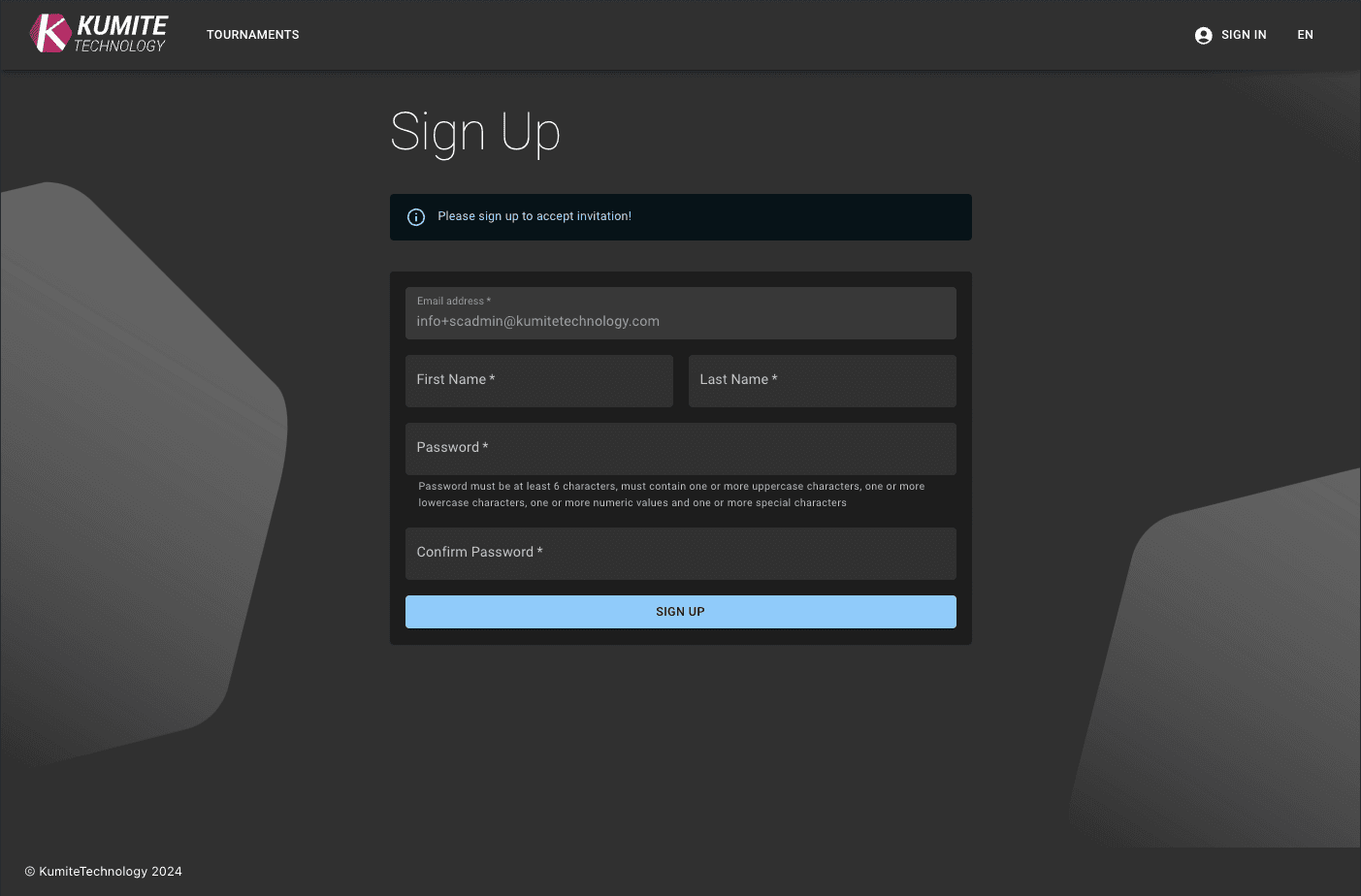
2. Login or Register
After clicking the link, they must log in to their existing account or create a new one.
3. Success
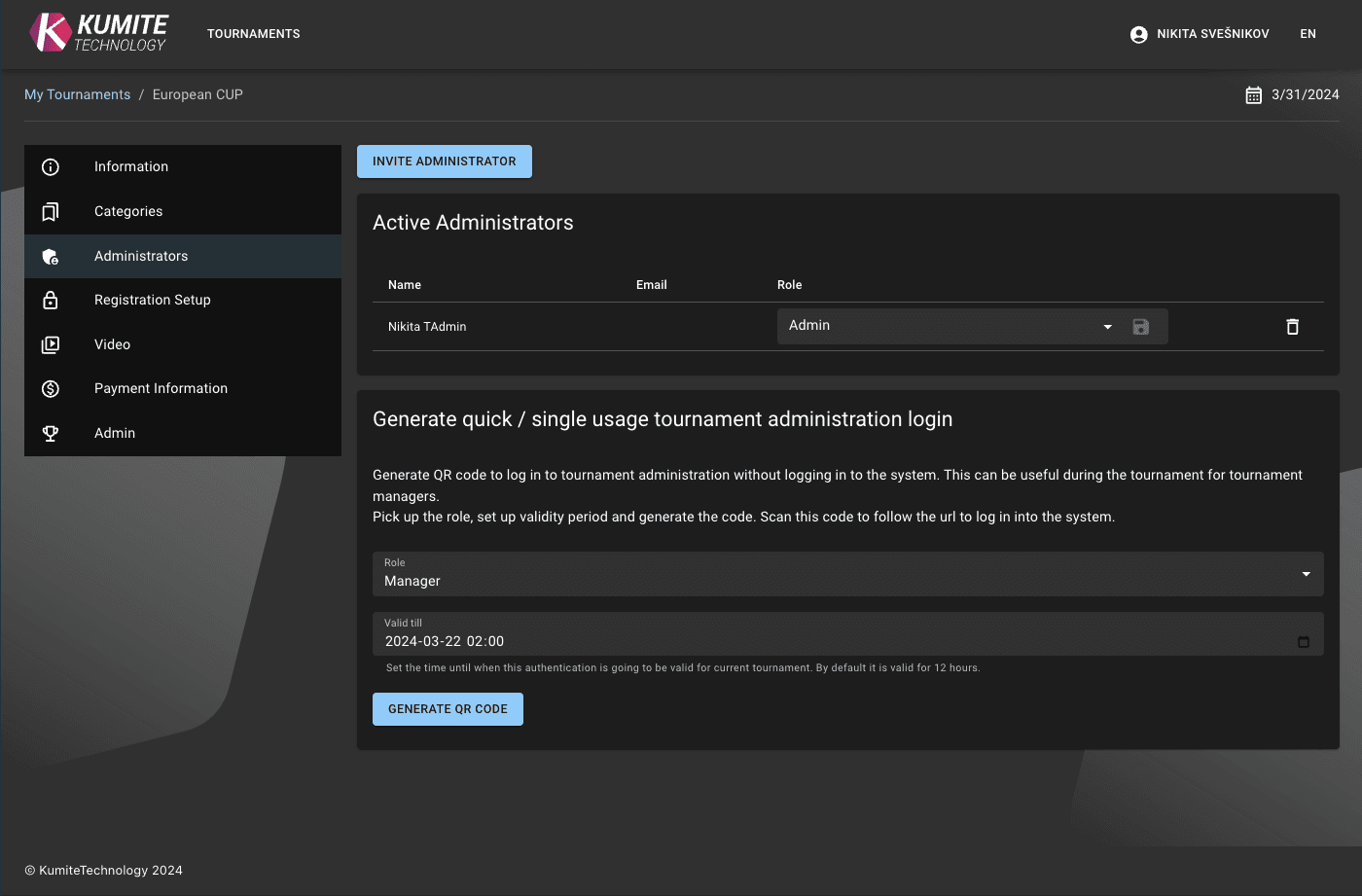
Once they accept, they will be redirected to the tournament dashboard as an administrator. You will see them in your Administrators table.
Quick Login (QR & Link)
For fast access during the event (e.g., for staff at specific tatamis), you can generate a bypass login that does not require standard authentication.
- Select Role: Choose the administrative role for this session.
- Set Expiration: Define how long the login is valid (default is 12 hours).
- Generate: Click
Generate QR codeand share it.