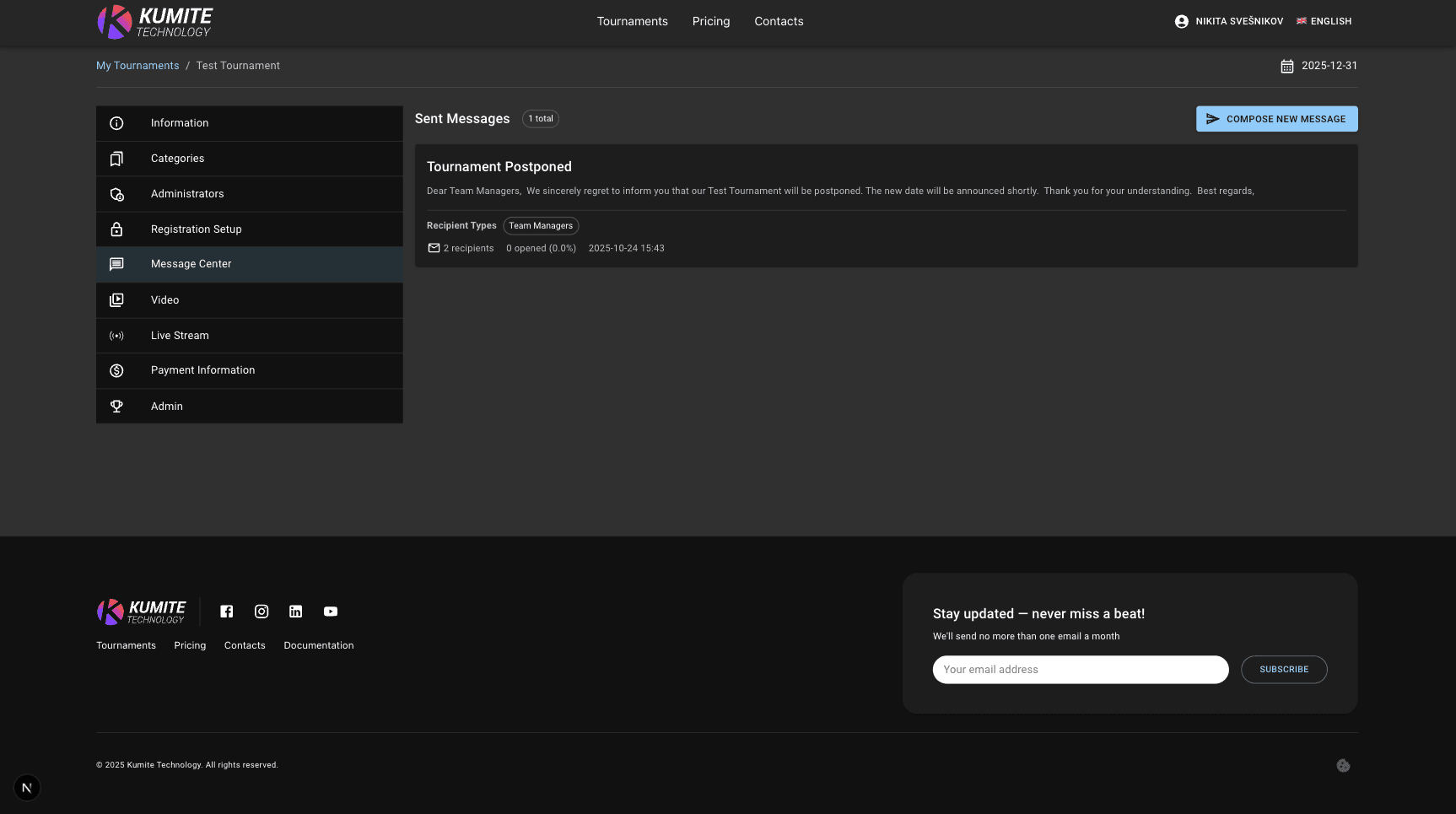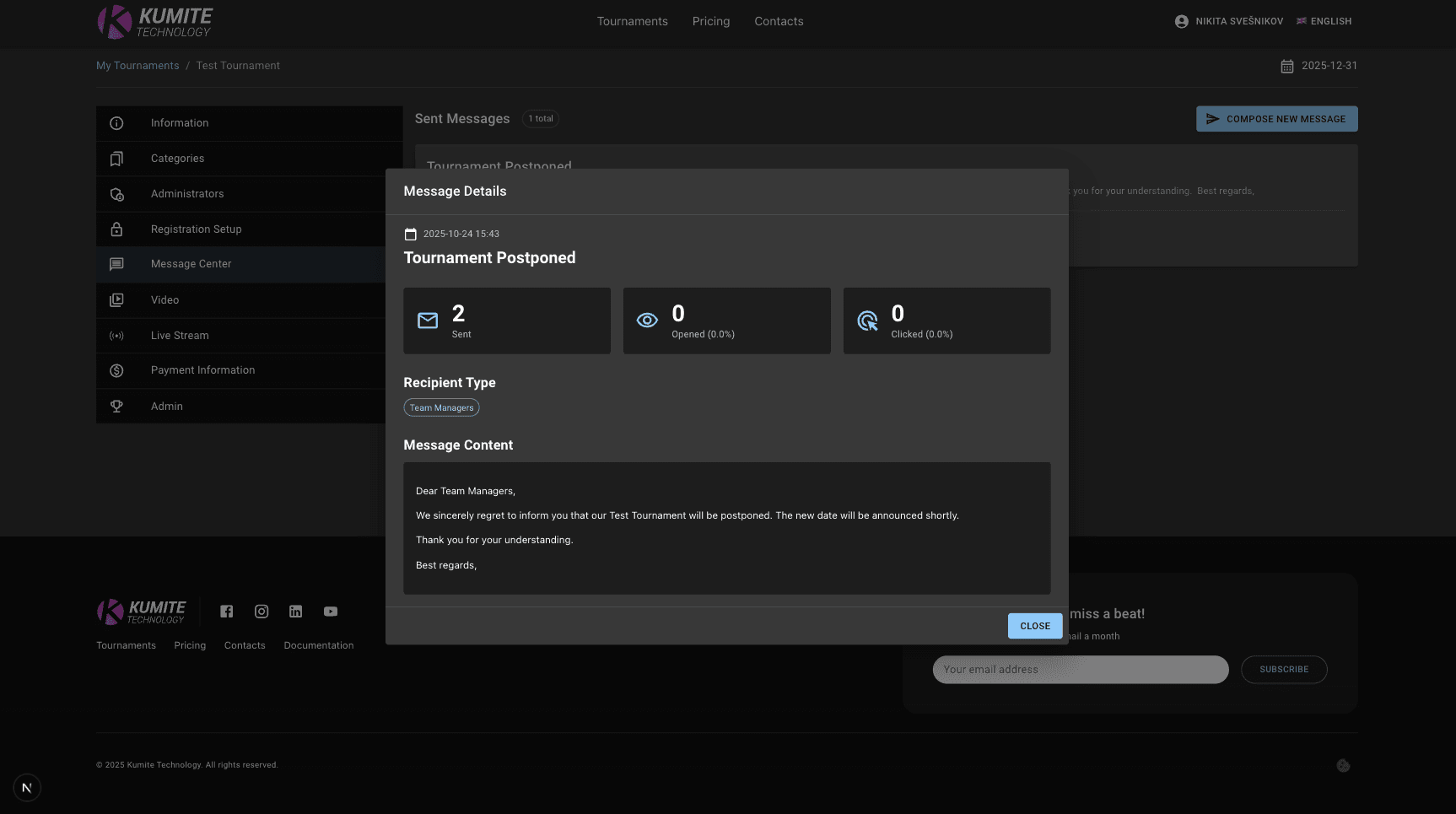

Message Center
Follow these steps to send messages to tournament users in KumiteTechnology.
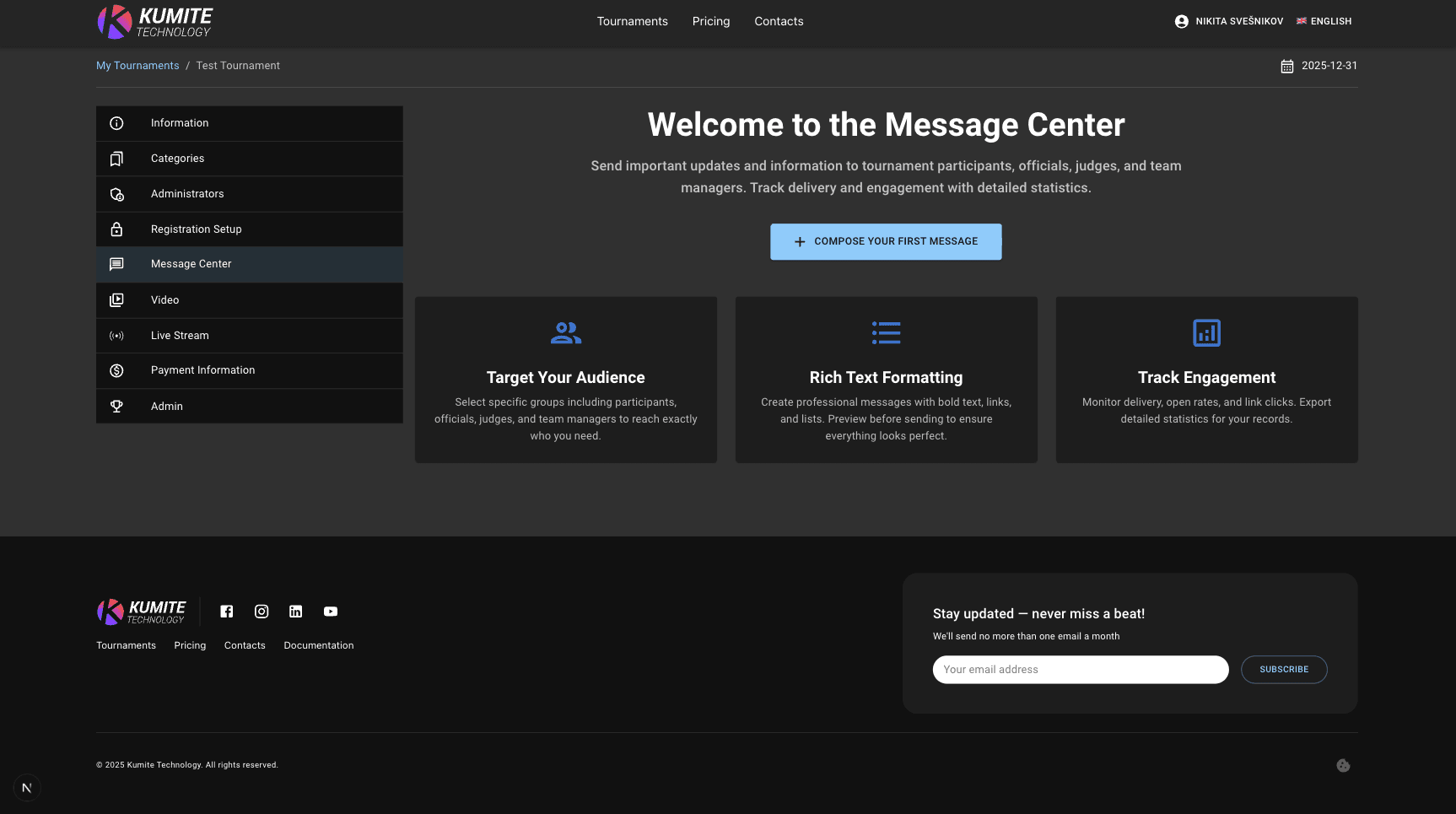
1. Go to Message Center
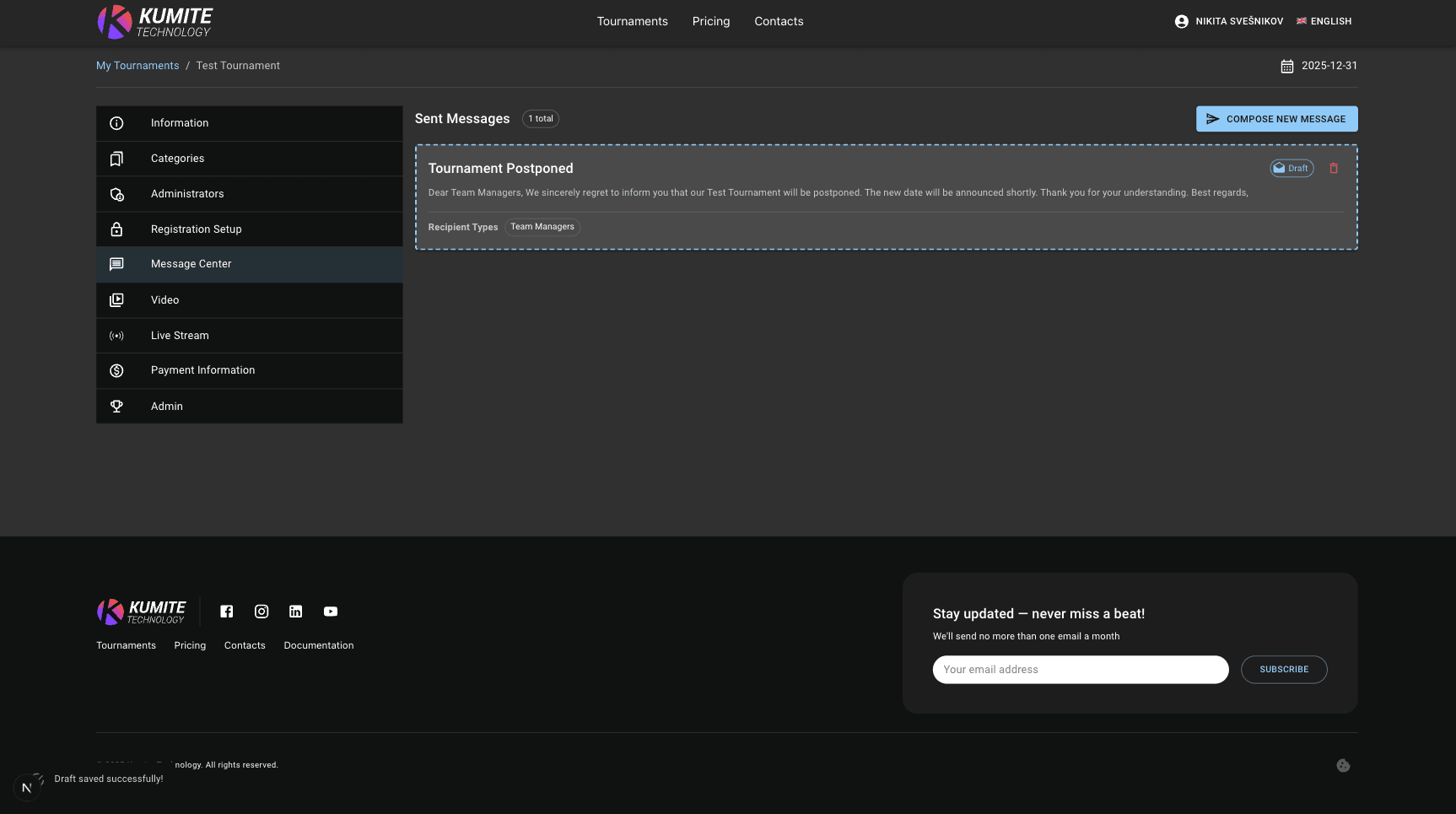
Open your tournament settings dashboard and select Message Center from the navigation menu.
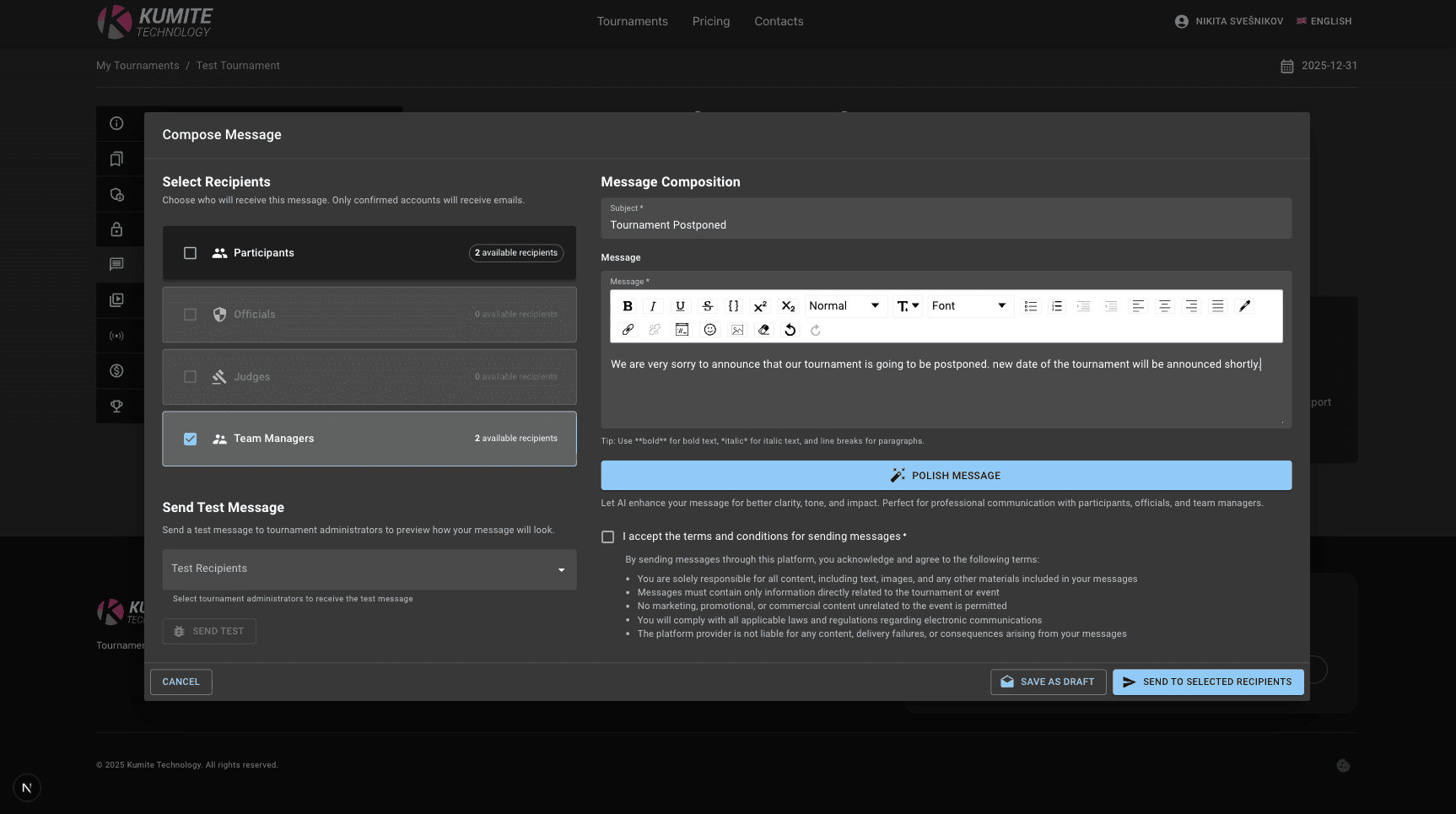
2. Start Drafting
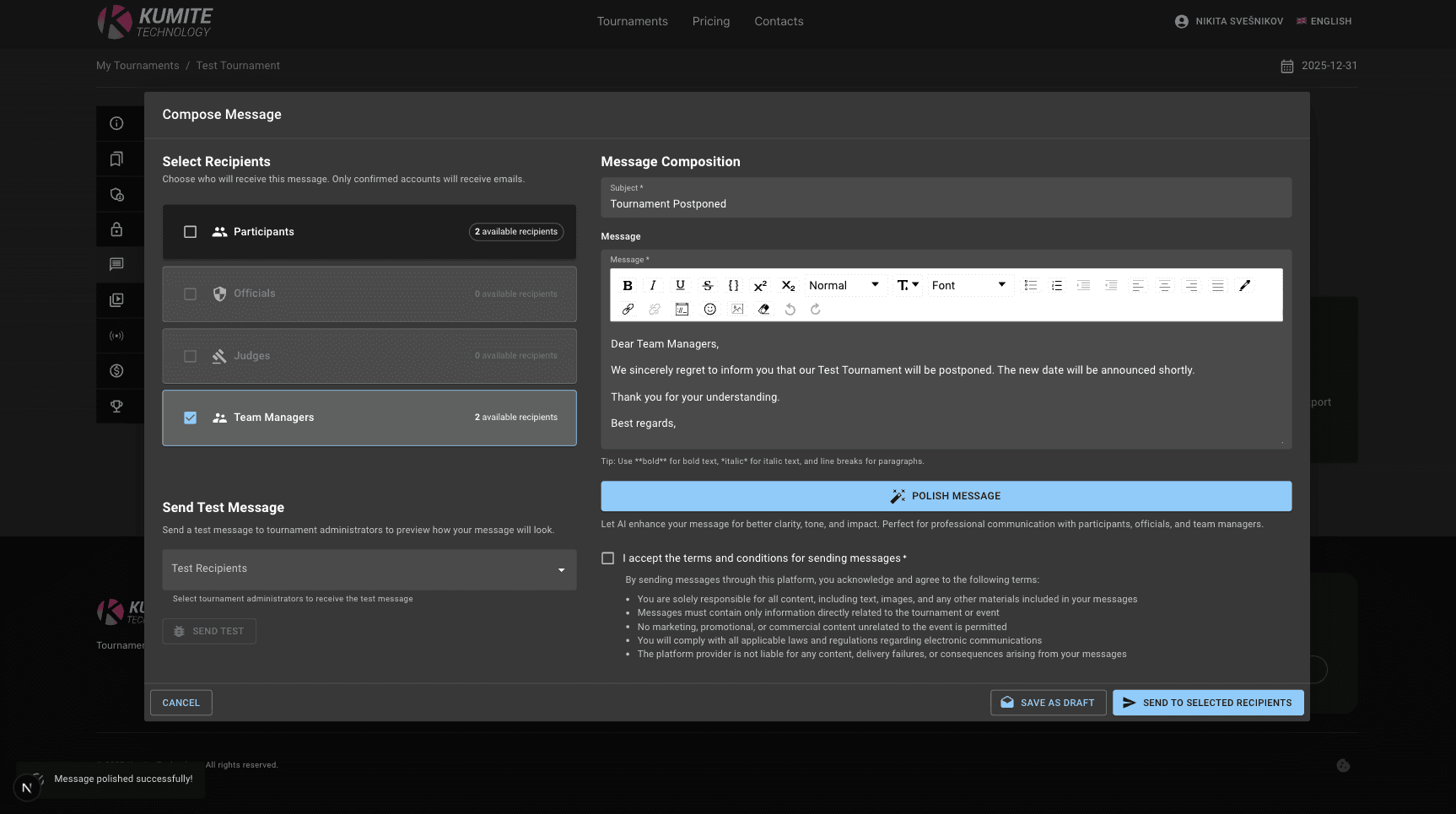
Click Compose new message, select the recipients, write your message, use AI polishing and save the draft (if needed).
3. Send and Track
Click Send to selected recipients and monitor the delivery status in real-time.