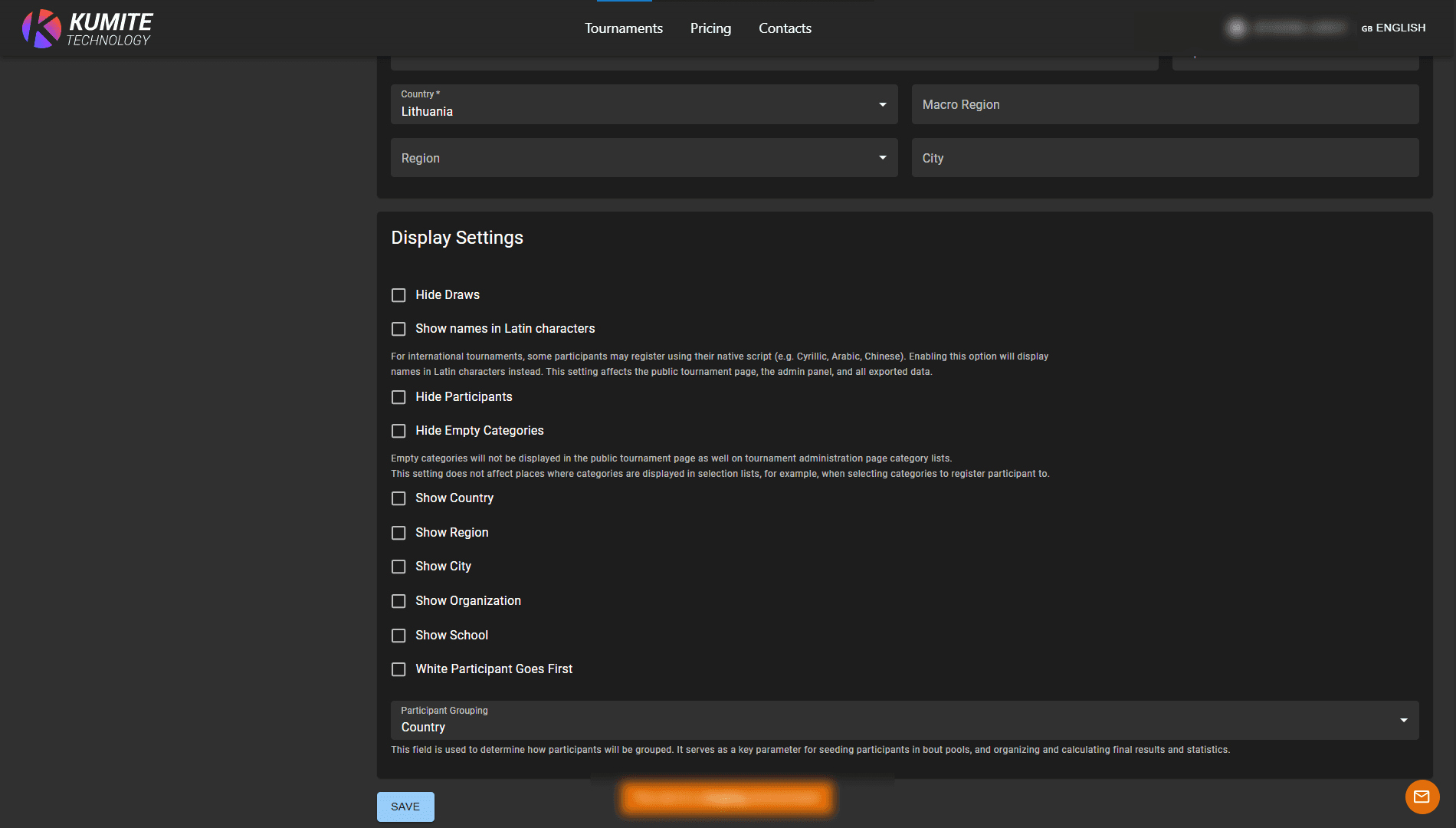

Information
Follow these steps to edit and configure tournament details in KumiteTechnology.
1. Go to tournament settings
From your dashboard, go to My Tournaments and click the Settings button next to your selected tournament.
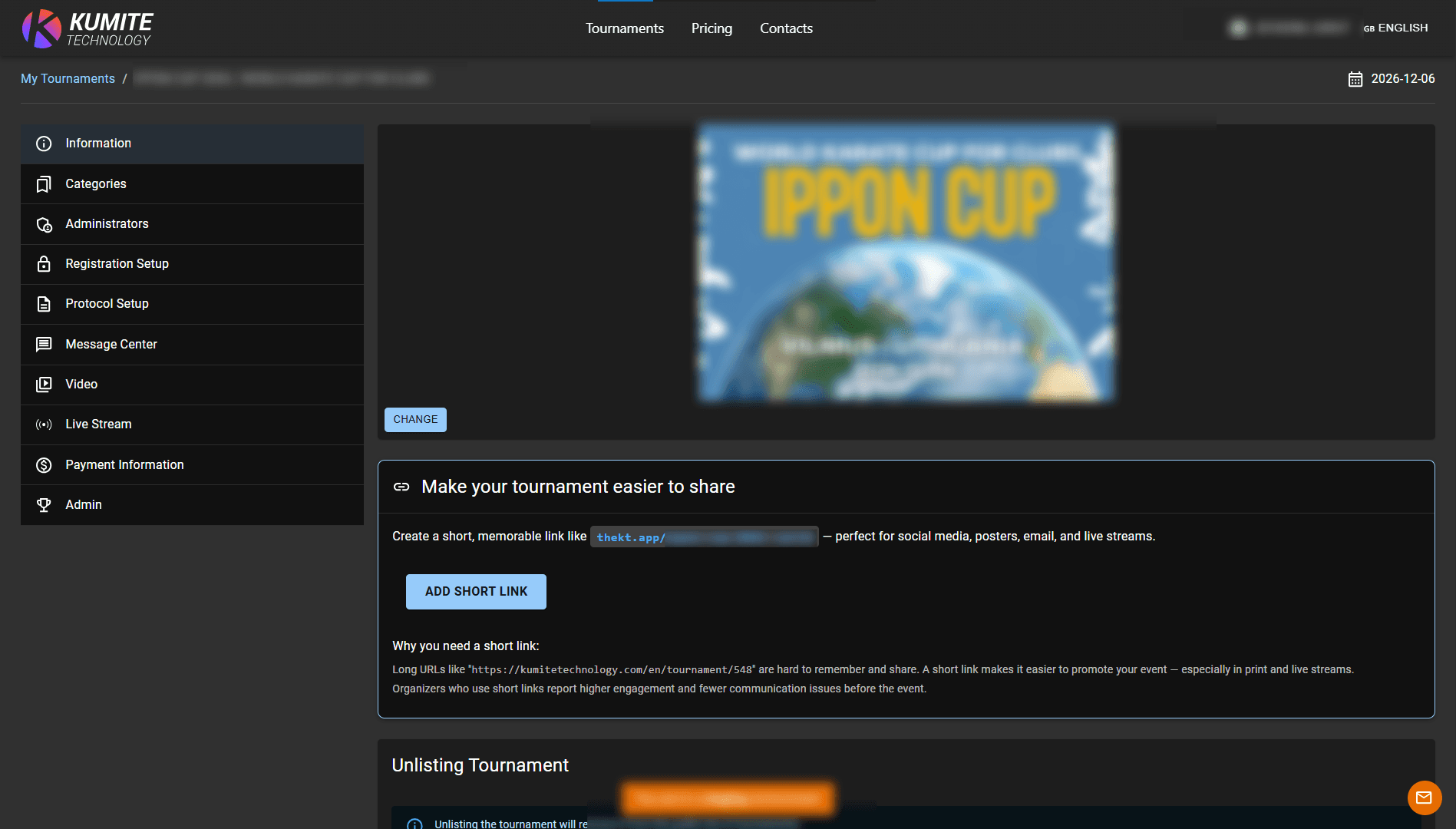
2. Update Information
Review and update the basic event information: name, date, location, description, and background image.
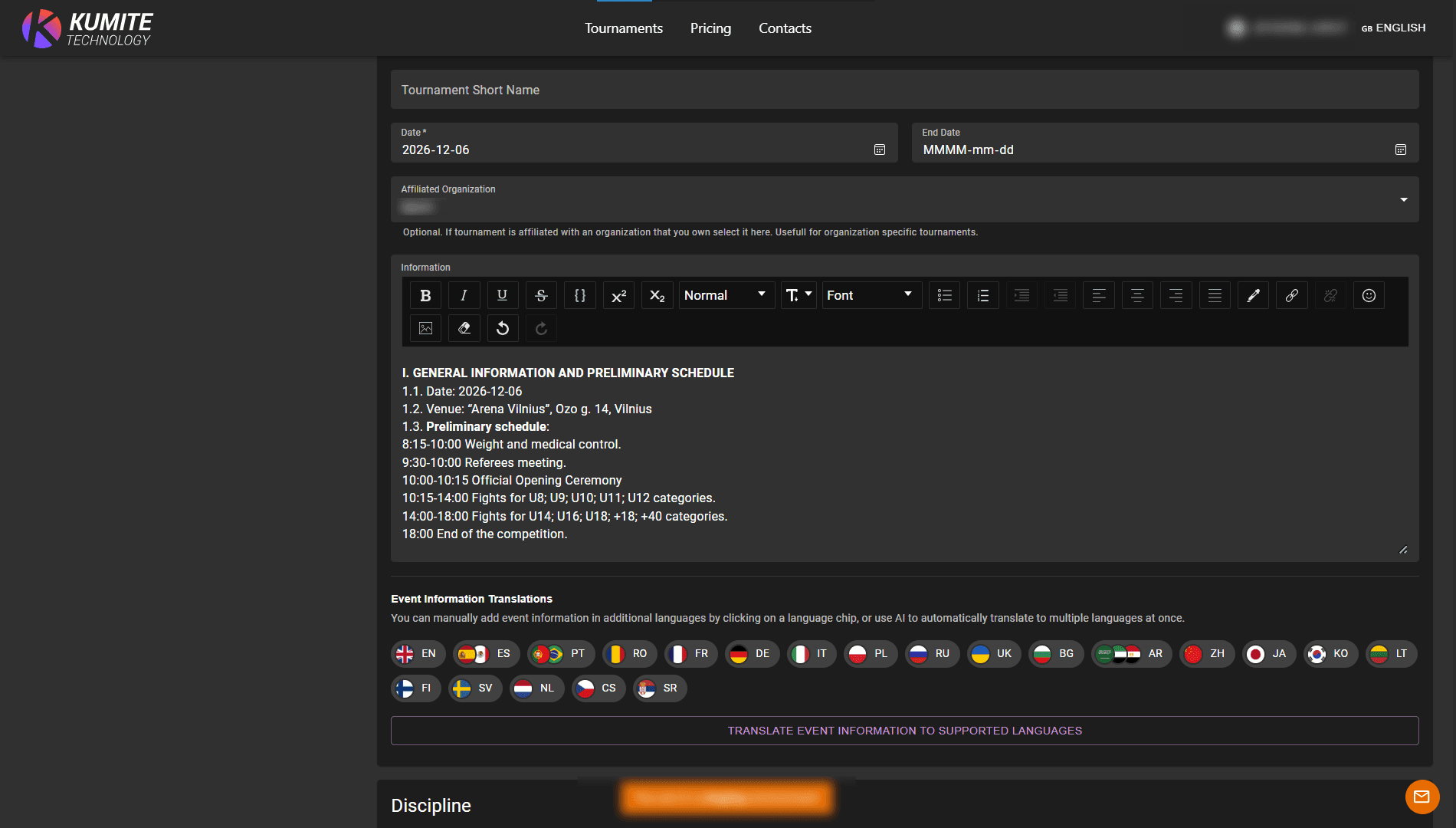
3. Event Info Auto-Translation
Click Translate Event Information to Supported Languages, select source language, targed languages, and click Translate. This allows you to provide event information in multiple languages without creating each version manually.
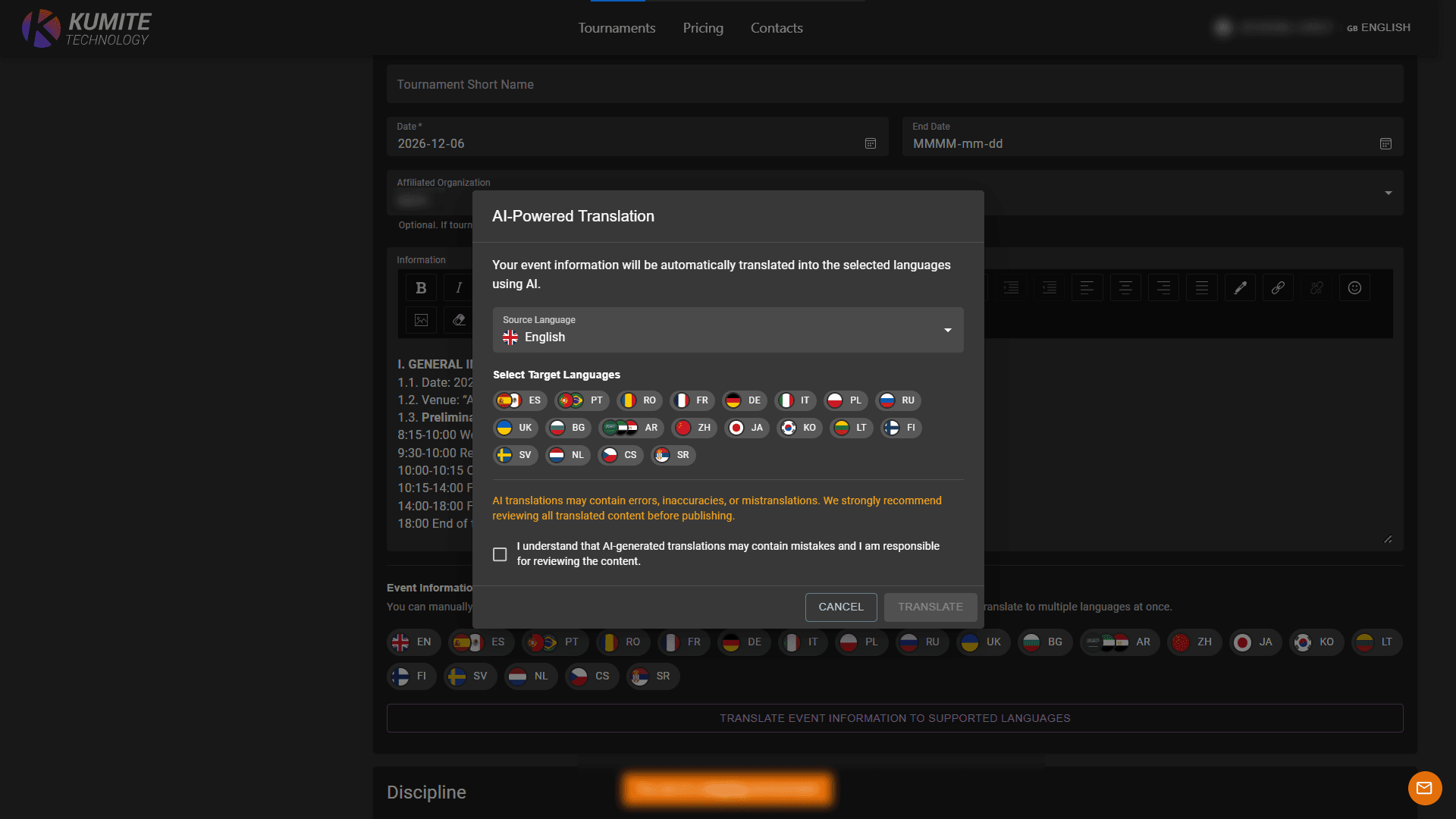
4. Display Configuration
Configure how tournament data is presented publicly:
-
Tournament is unlisted: Hide the tournament from public search.
-
Hide Draws: Keep competition brackets private.
-
Hide Participants: Keep the entry list private.
-
Participant Info: Choose which details (Country, Region, Organization, or School) are visible.
-
White Participant Goes First: Set if the white-colored competitor is positioned first in draws and on the tatami.
-
Participant Grouping: Define the logic for participant grouping and seeding in brackets and results.