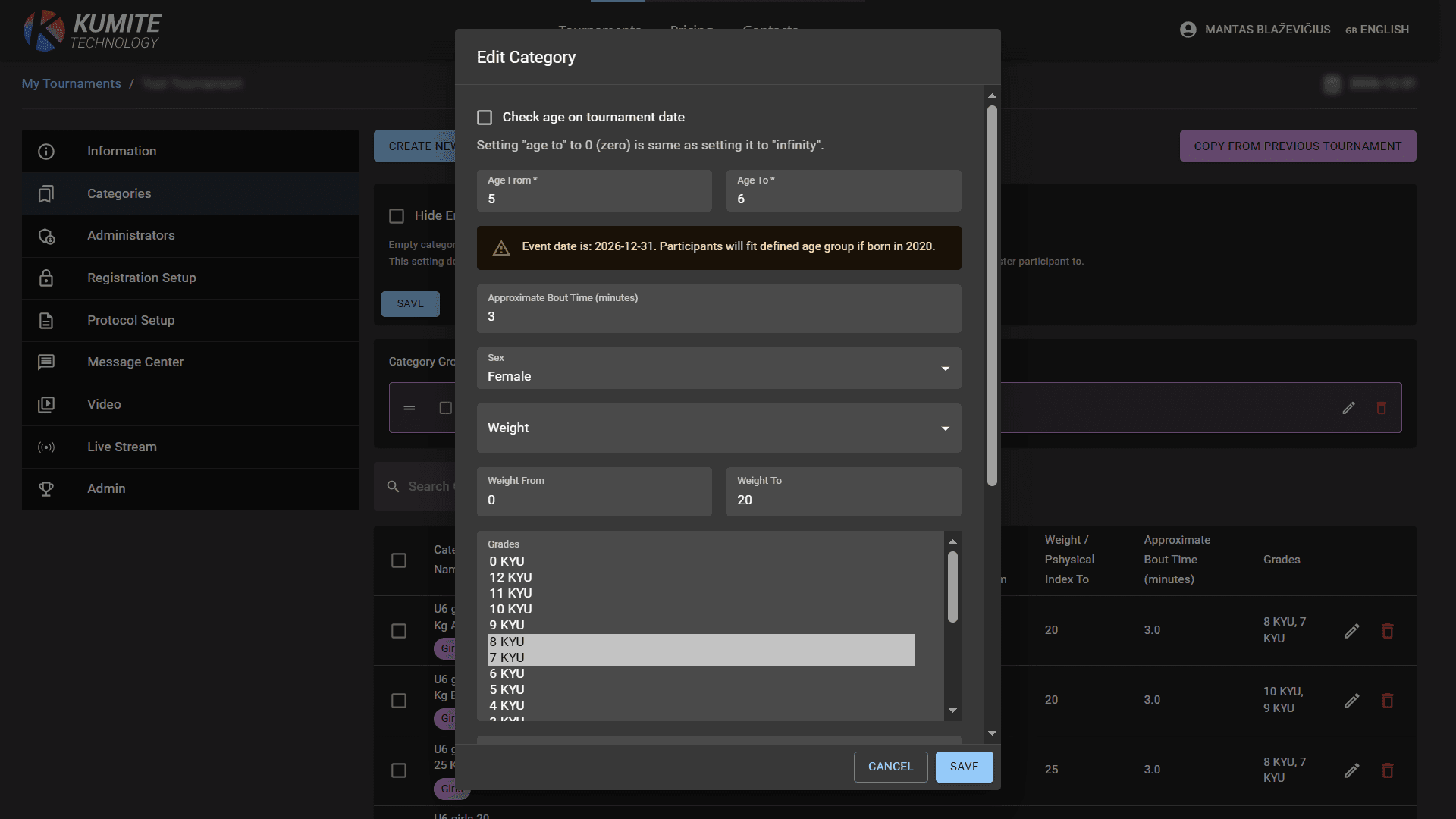

Categories
Follow these steps to create and edit categories in KumiteTechnology.
1. Go to Categories
From the tournament settings dashboard, select Categories. This page displays your current list and creation options.
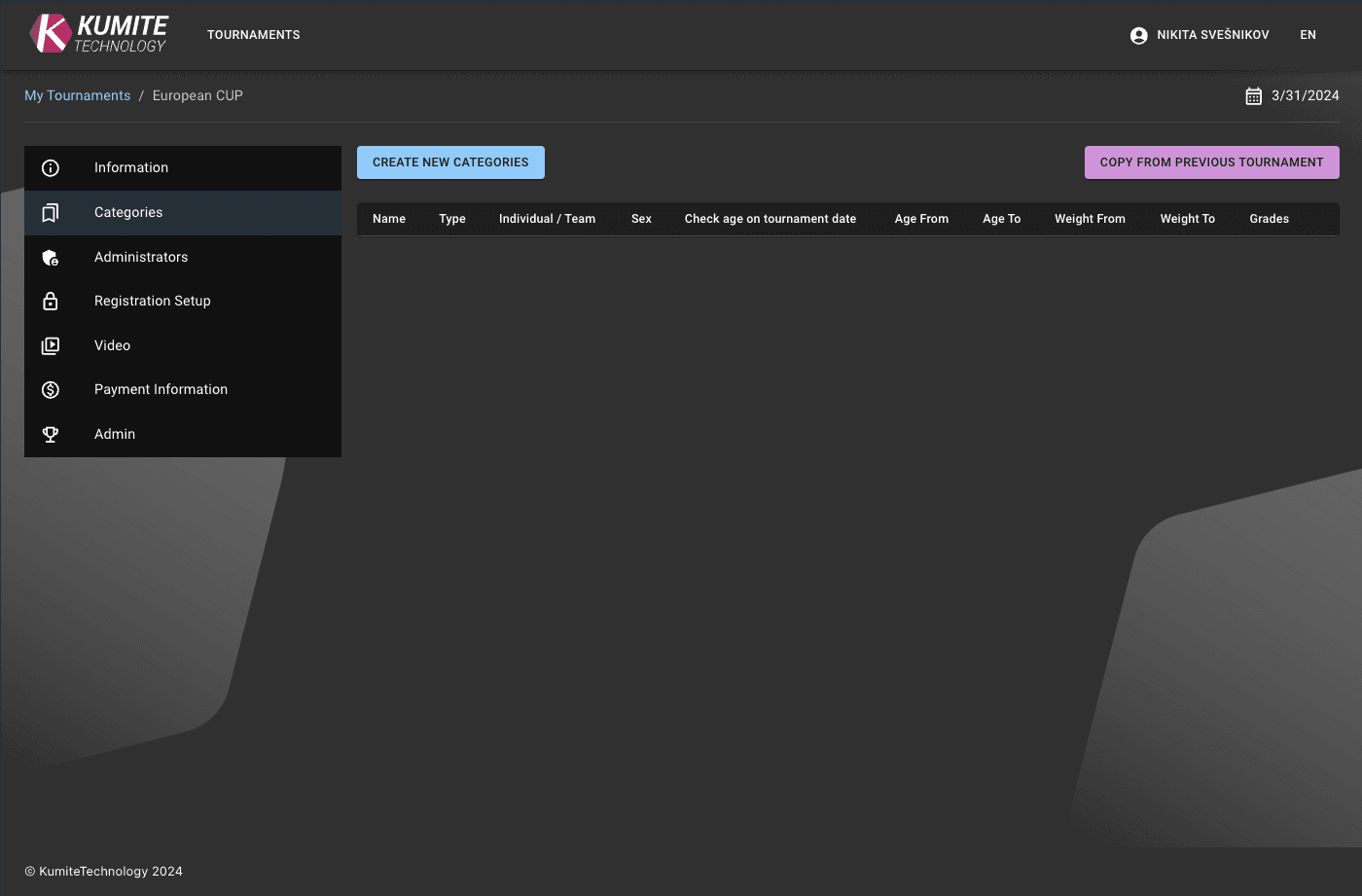
2. Category Configuration
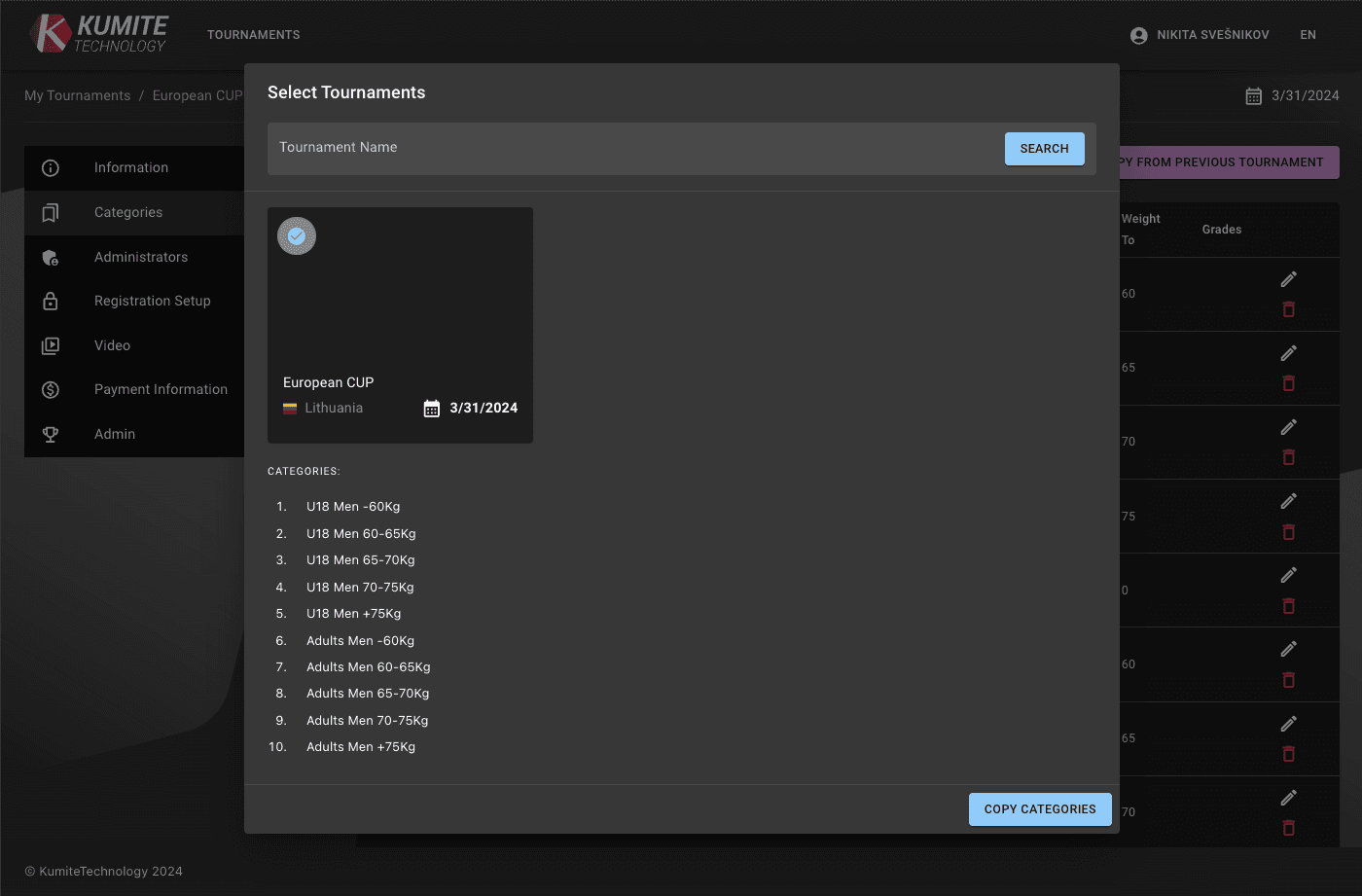
If it is NOT your first tournament
Click Copy from previous tournament, select tournament and click Copy categories.
If it is your first tournament
Click Create new categories, set up age, sex, category type, weight, and grade.
0 in age or weight categories means not controlled.
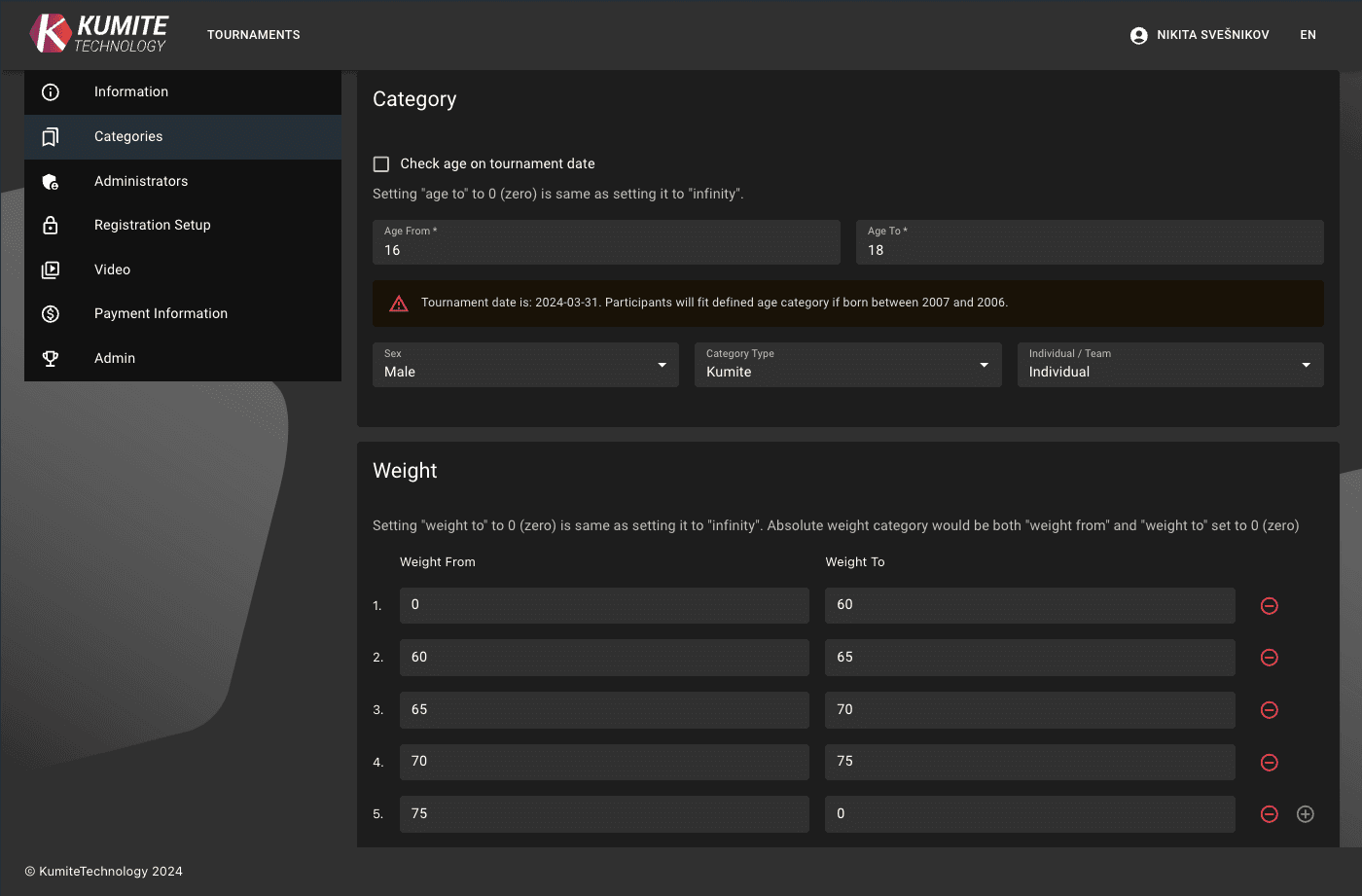
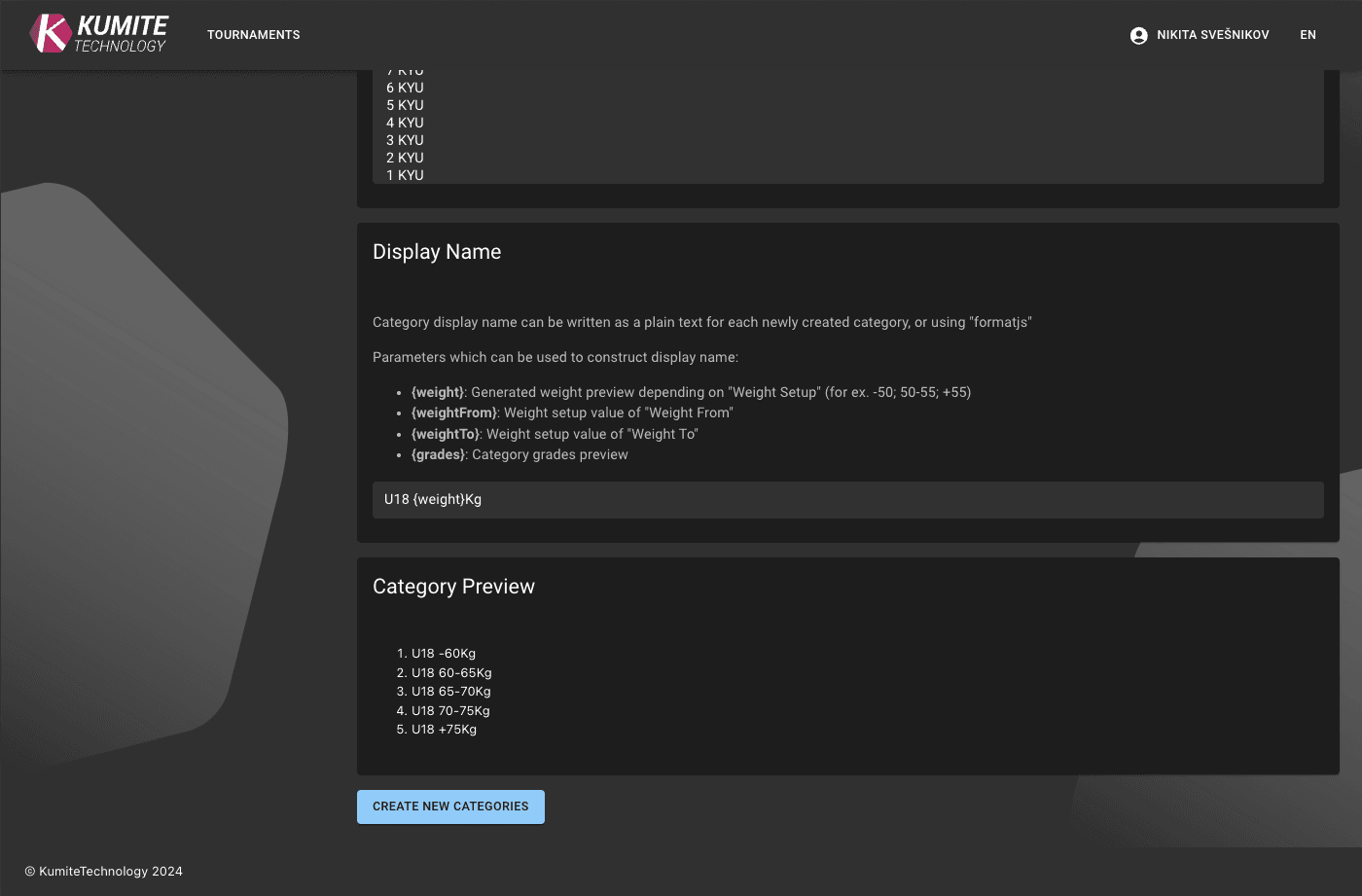
Automate naming using dynamic parameters in the display name field: {weight}, {weightFrom}, {weightTo}, and {grades}.
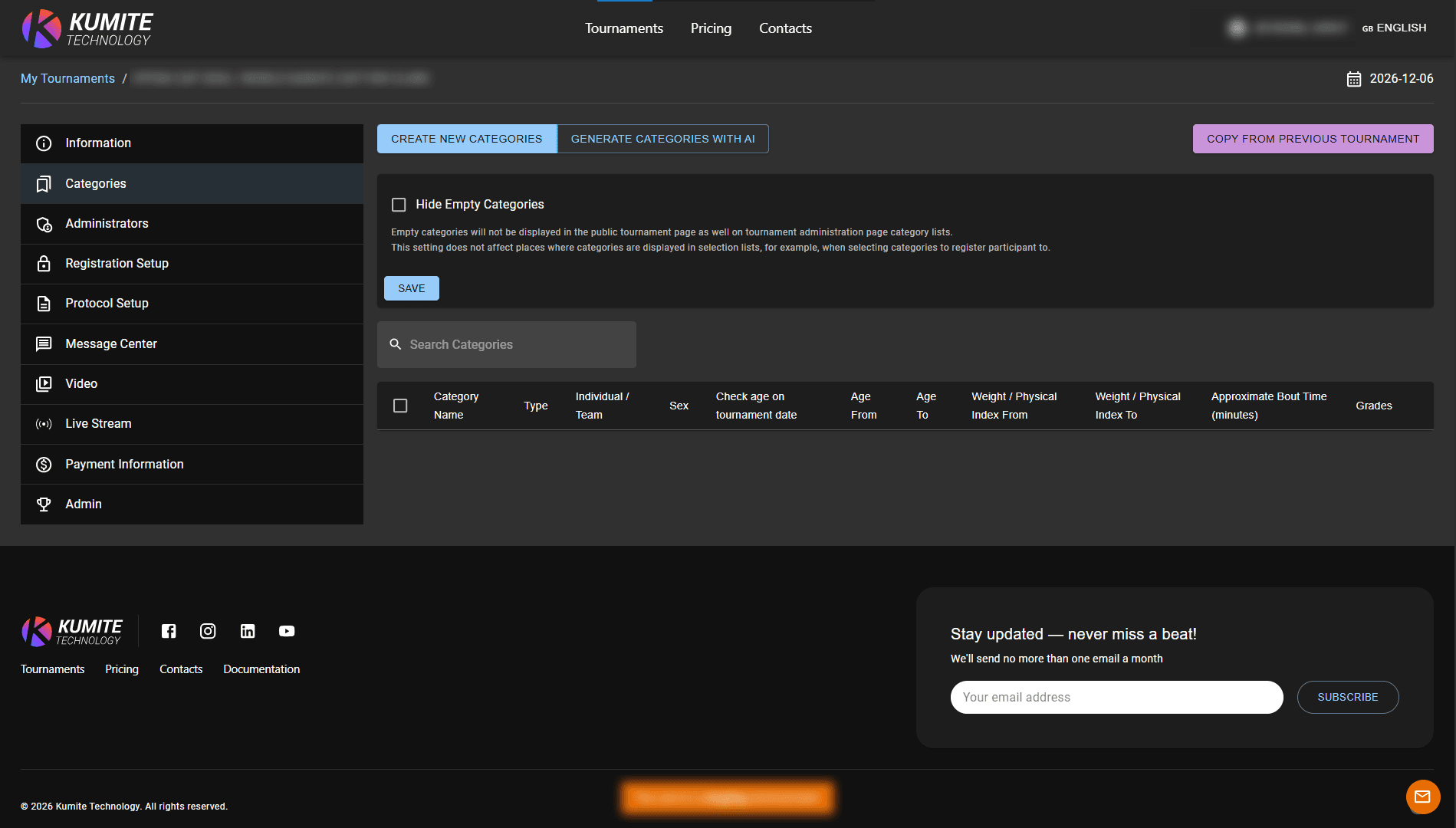
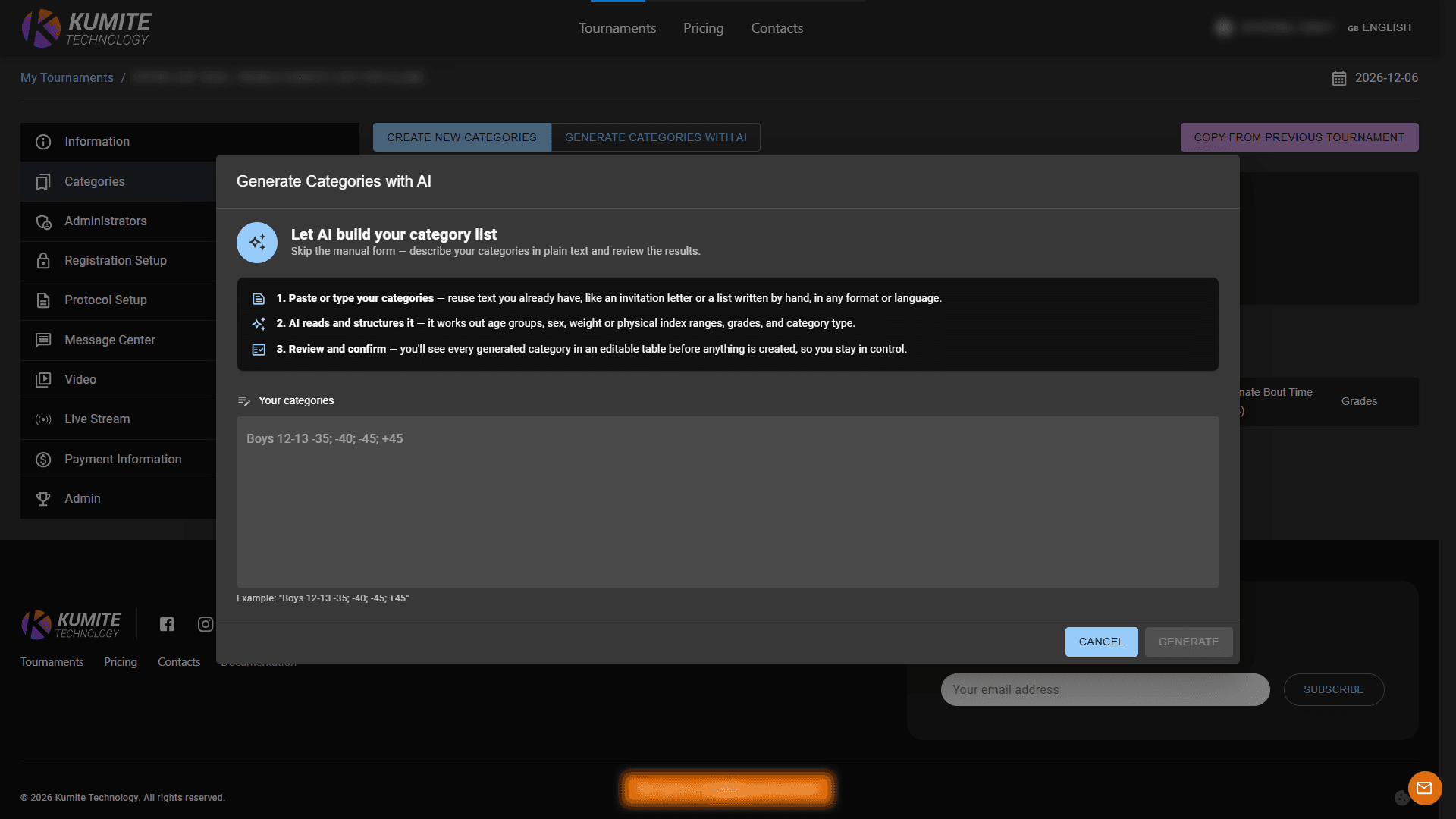
You can also use Generate Categories with AI to create categories from an existing category list. Paste a category list copied from an invitation or other document, even if the formatting is inconsistent or the text is in another language and click Generate. AI will convert it into an editable table where you can review and make changes before creating the categories.
3. Category Groups
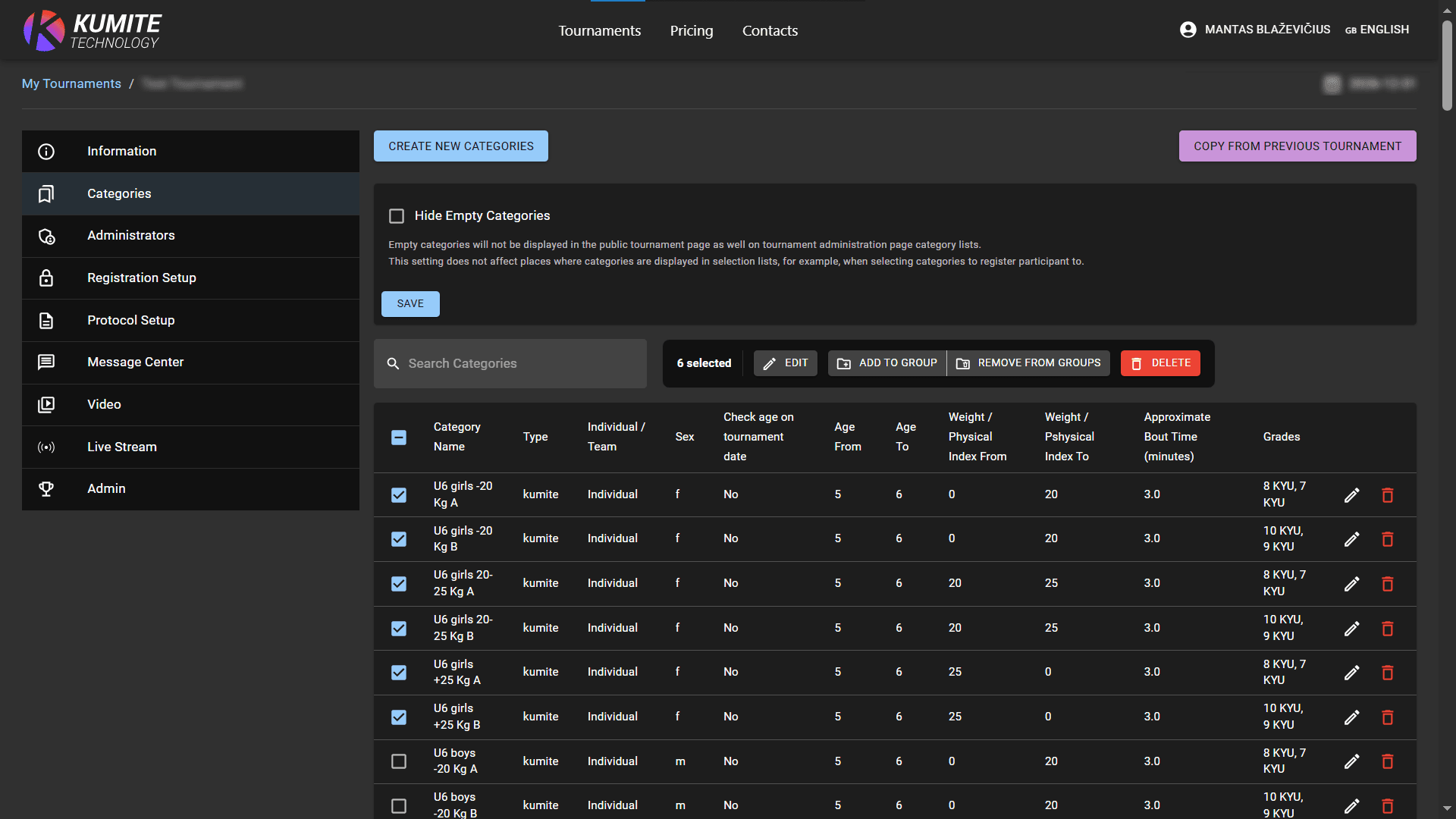
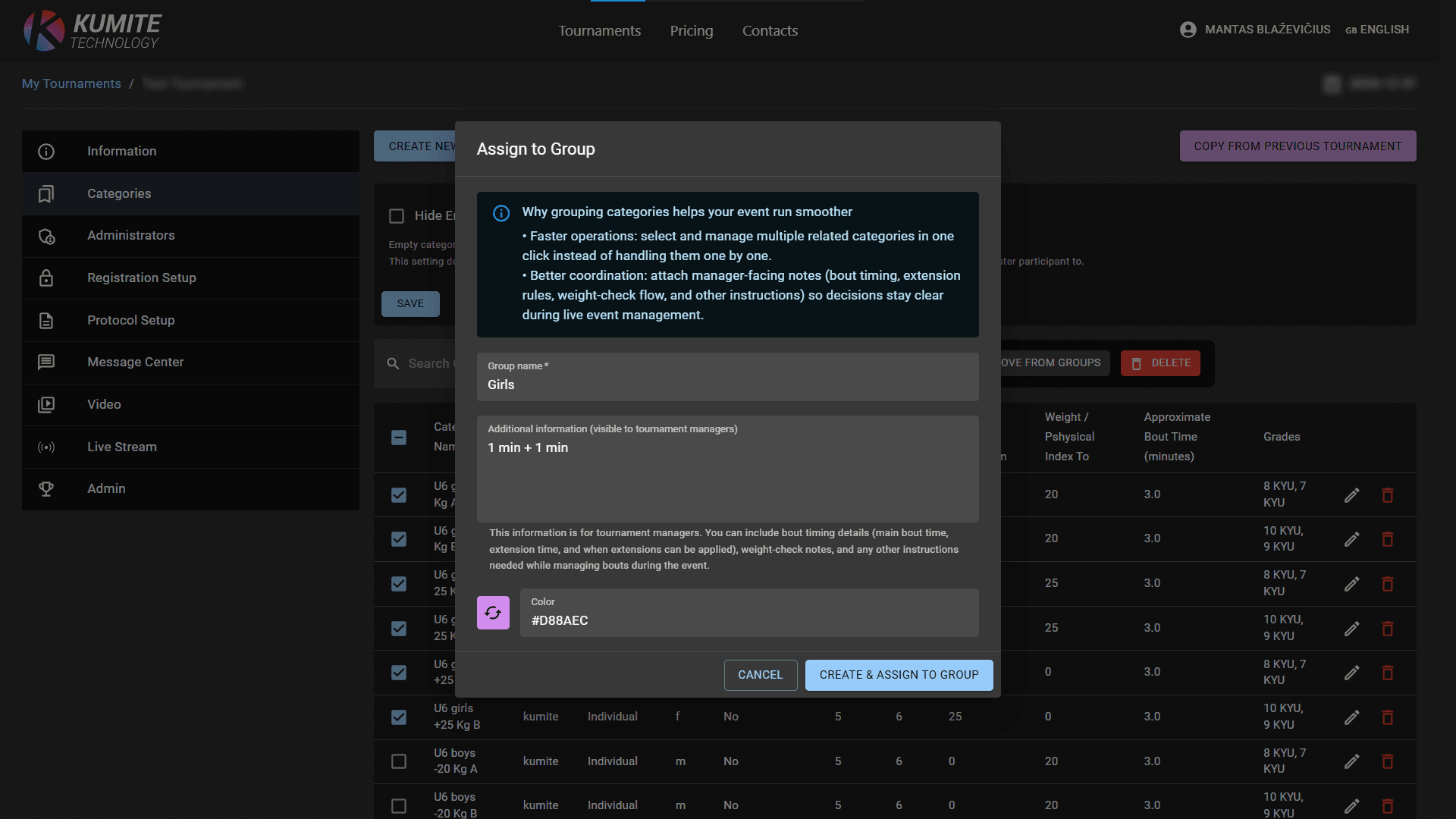
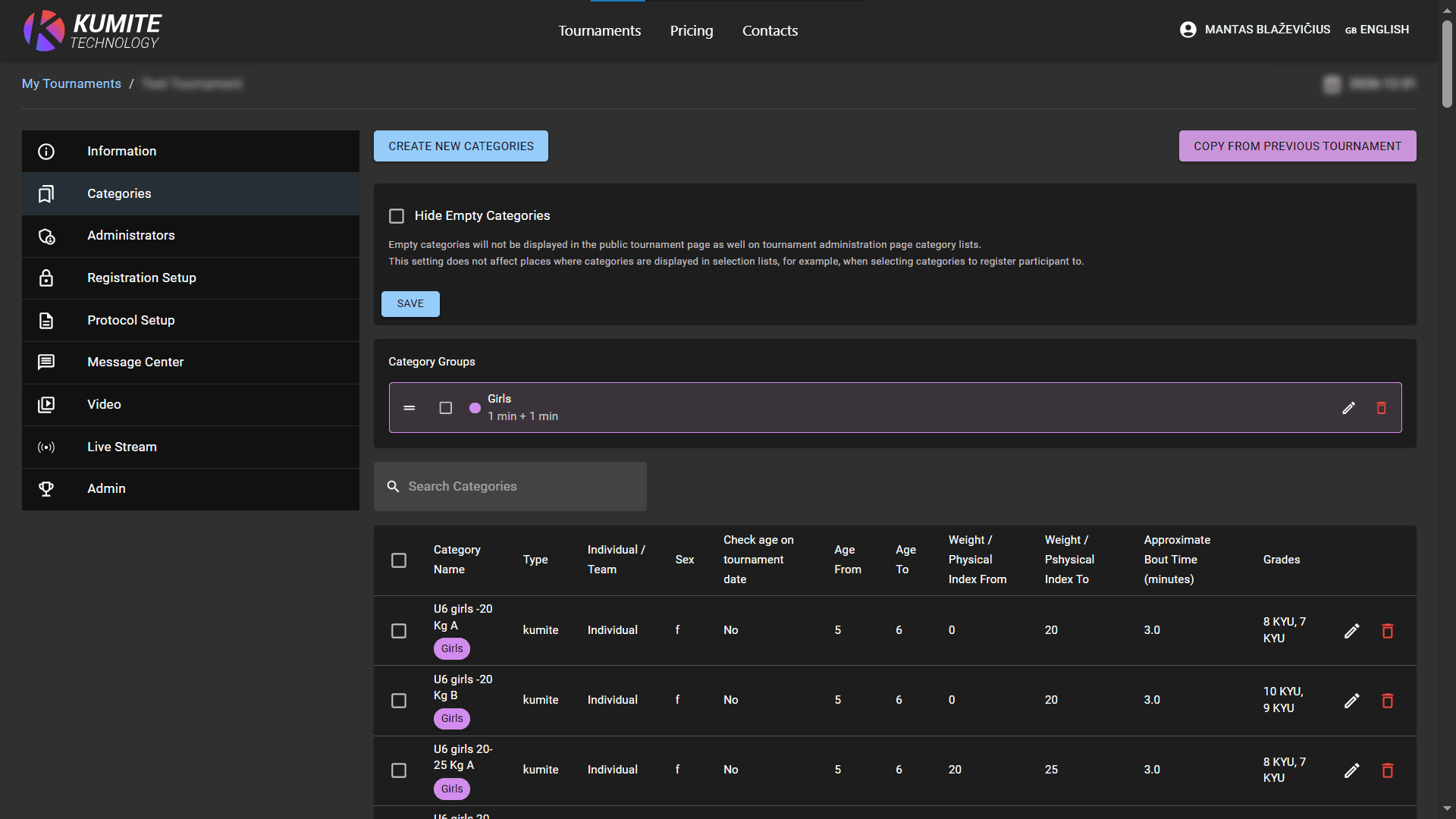
Select one or more categories and click Add to group. Add information to specific groups (e.g., Girls/Boys). Click Create & assign to group. This information is displayed next to the fight times for all categories within that group.
4. Edit Categories
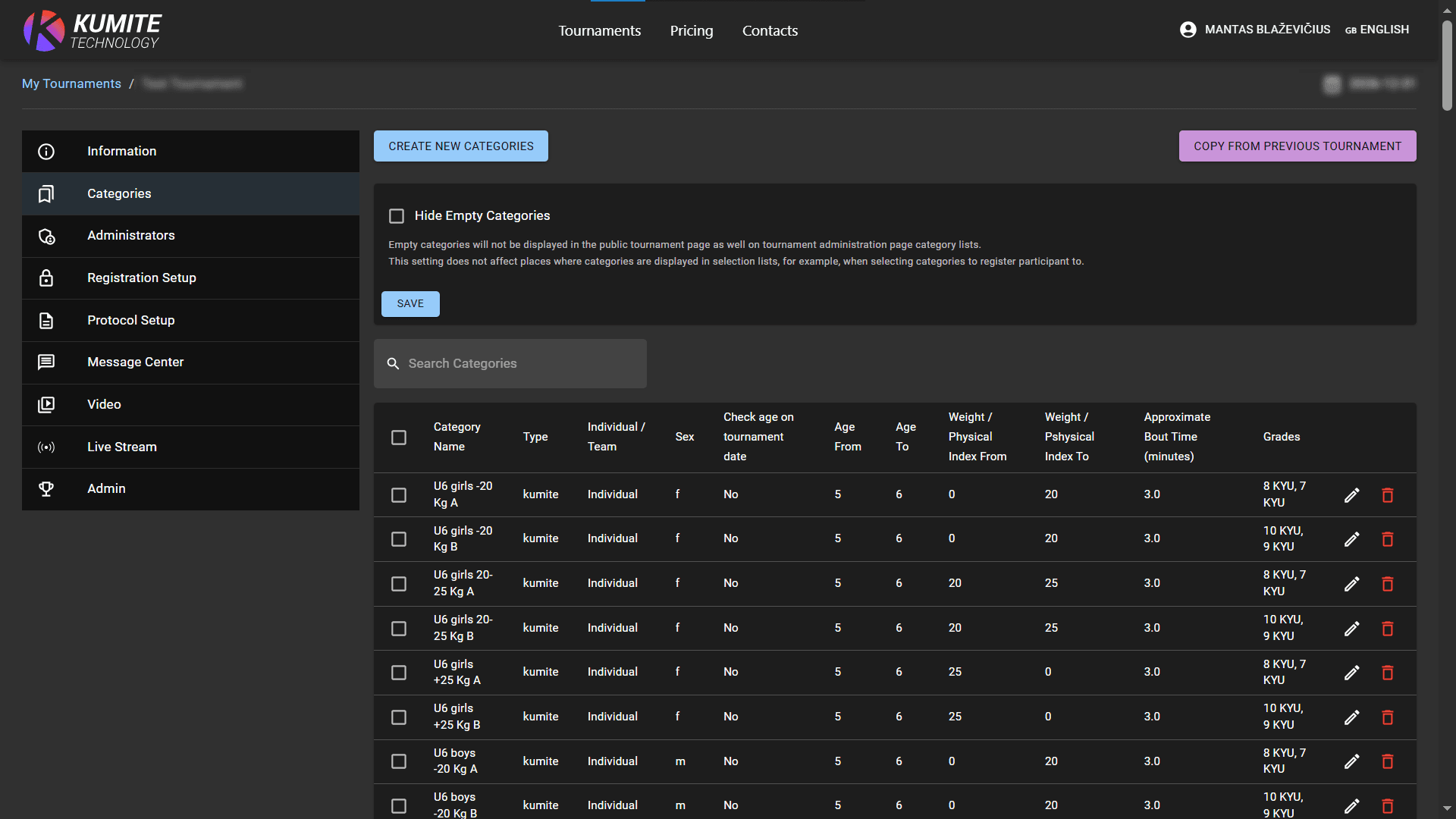
Click on the pencil icon to modify categories. Click delete icon to remove category.