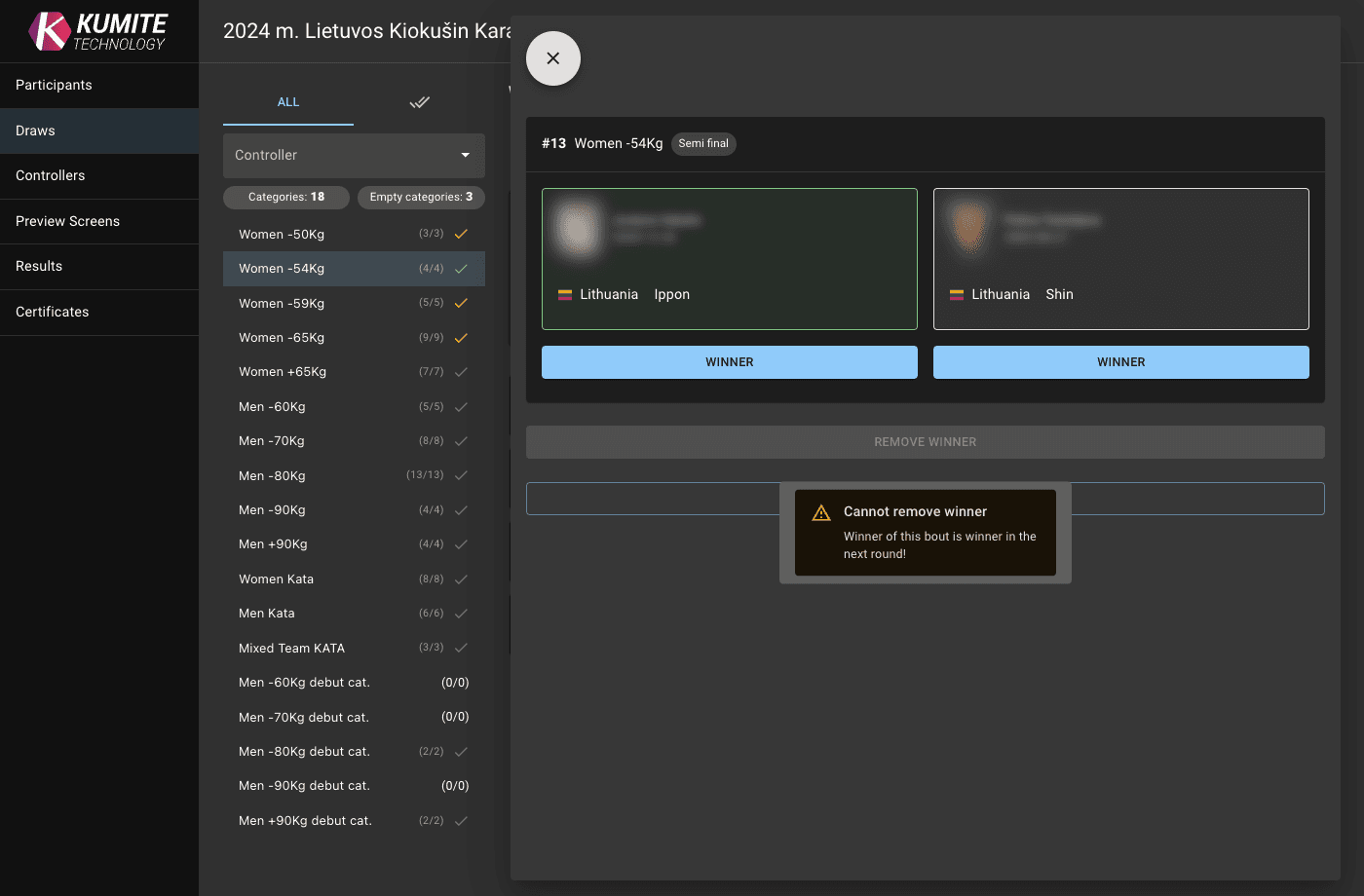

Bout Editing
In case of a bout management mistake follow these steps to edit bouts in KumiteTechnology.
1. Access Editing
From Draws
-
Go to the
Drawssection and select the relevant category. -
Click directly on the Bout Number (e.g.
#14) in the draw.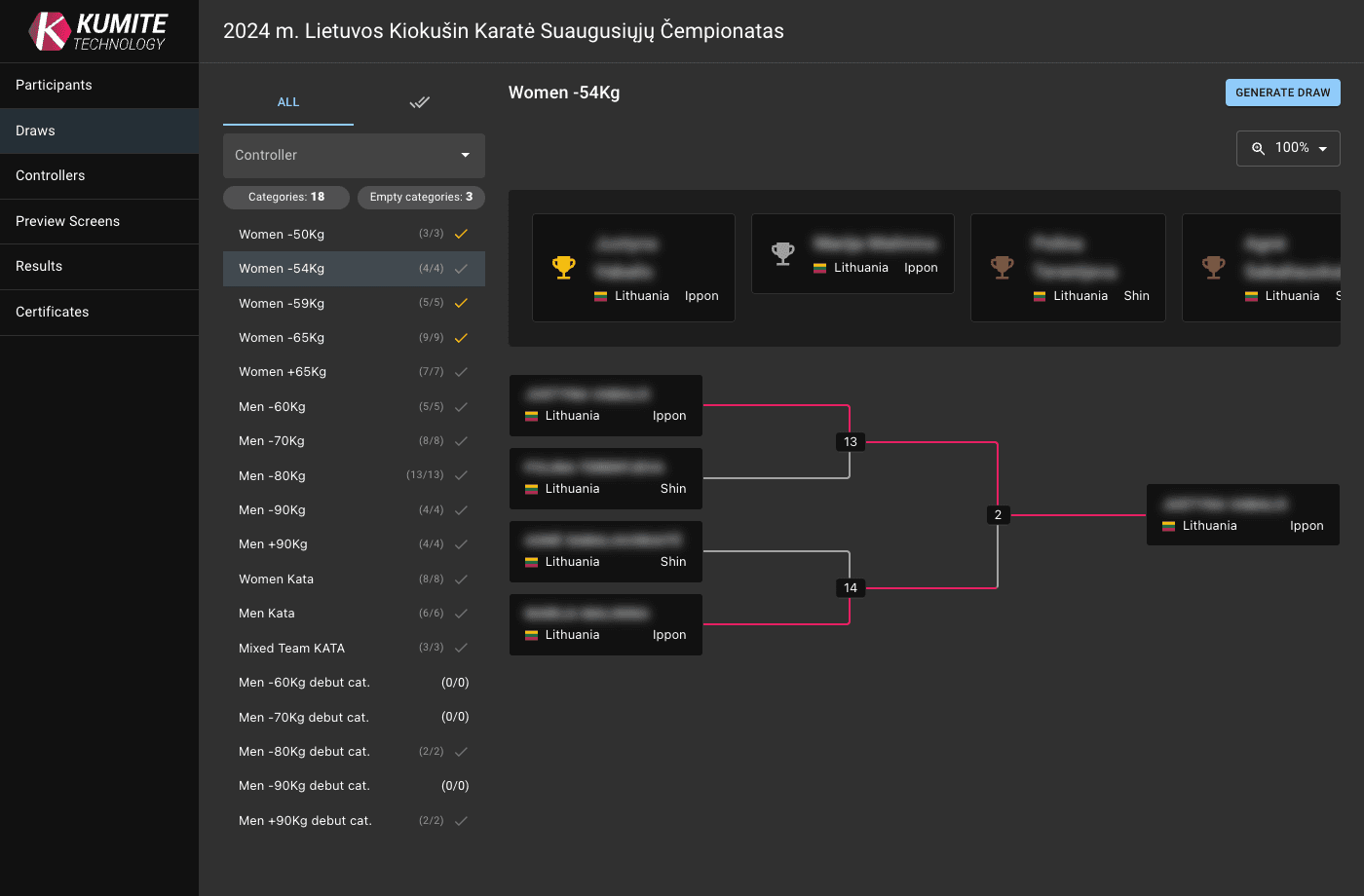
From Scheduler
-
Go to the
Schedulerand group the view byBouts. -
Click directly on the Bout Number (e.g.
#14).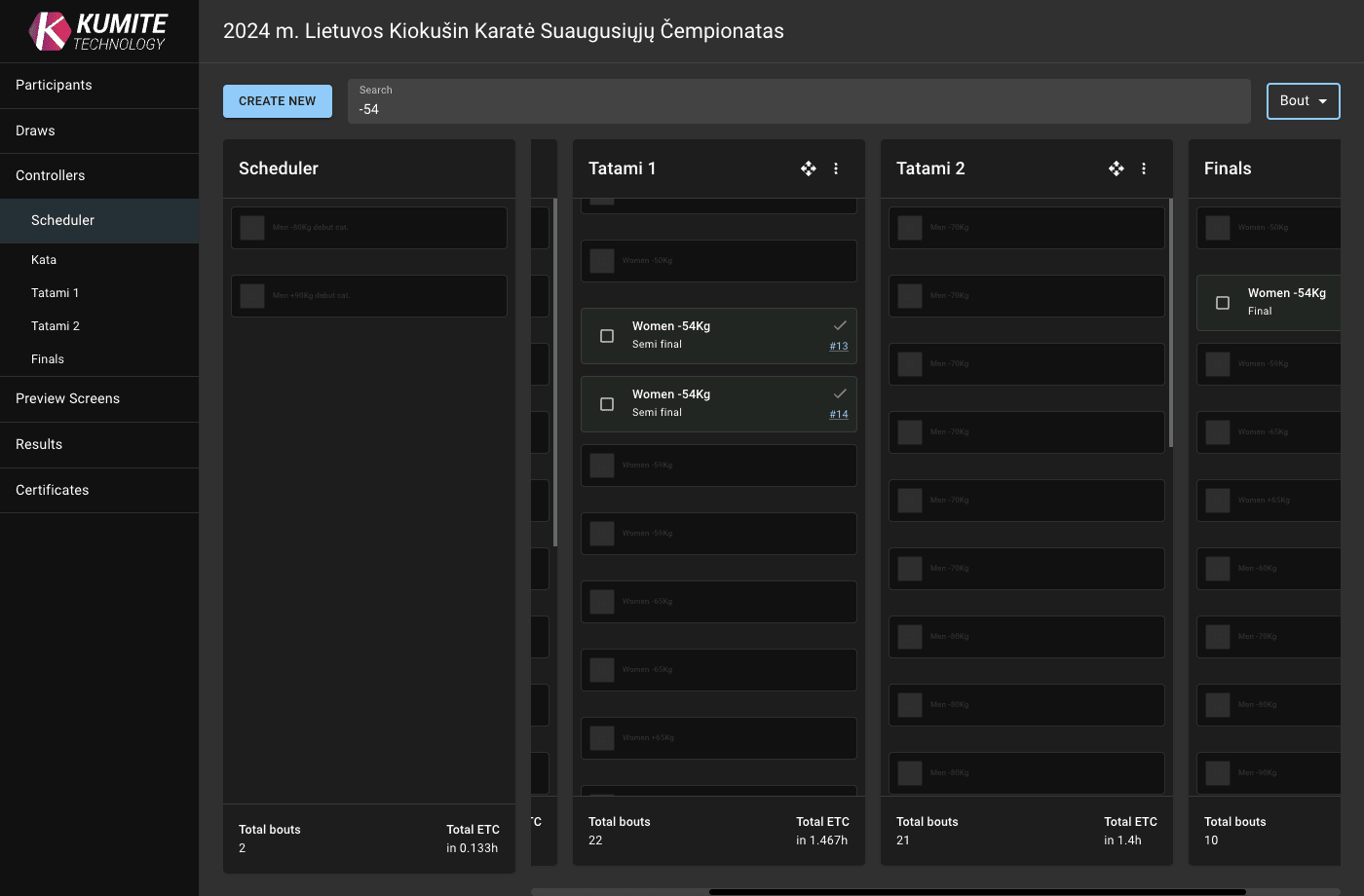
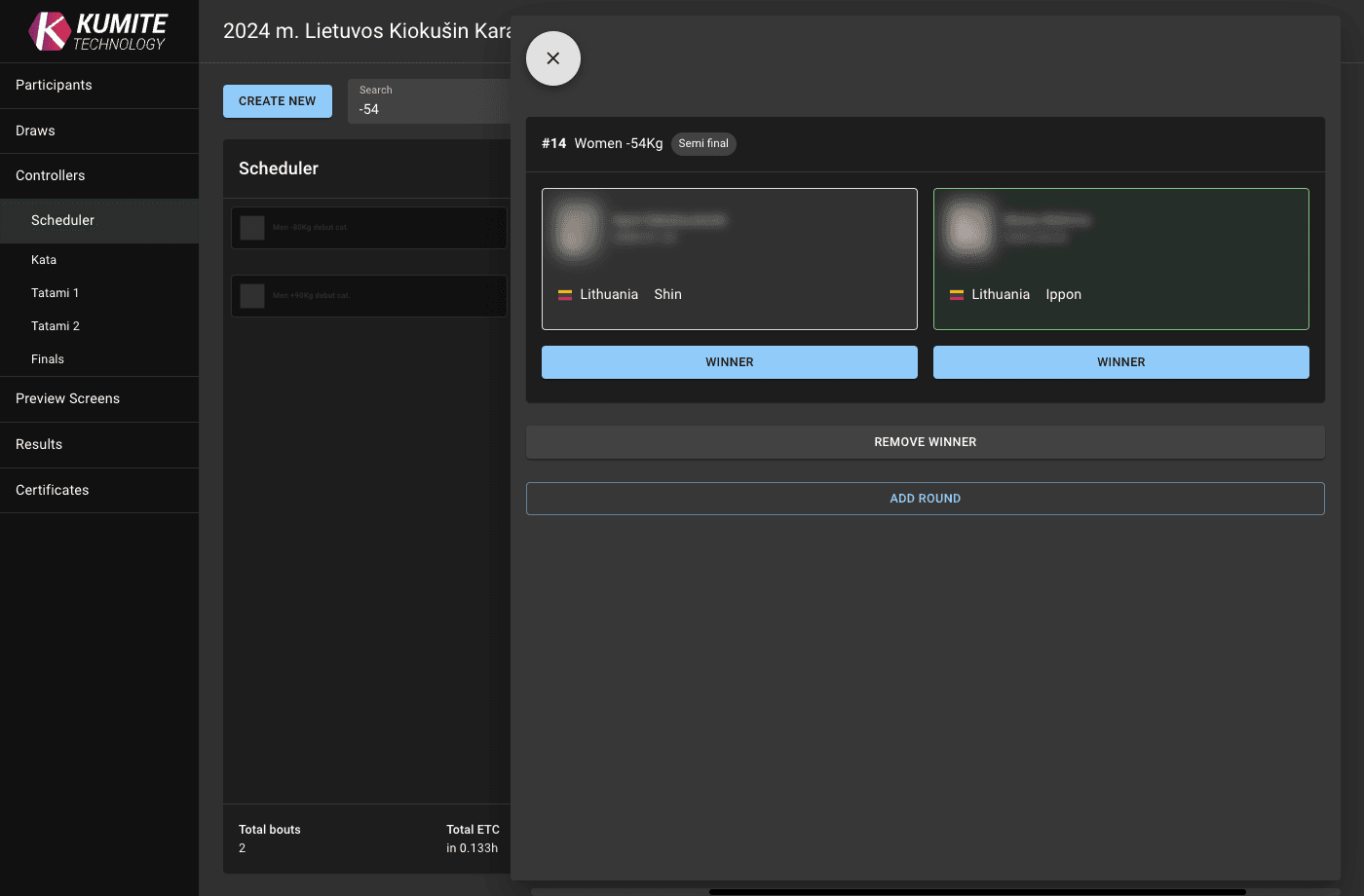
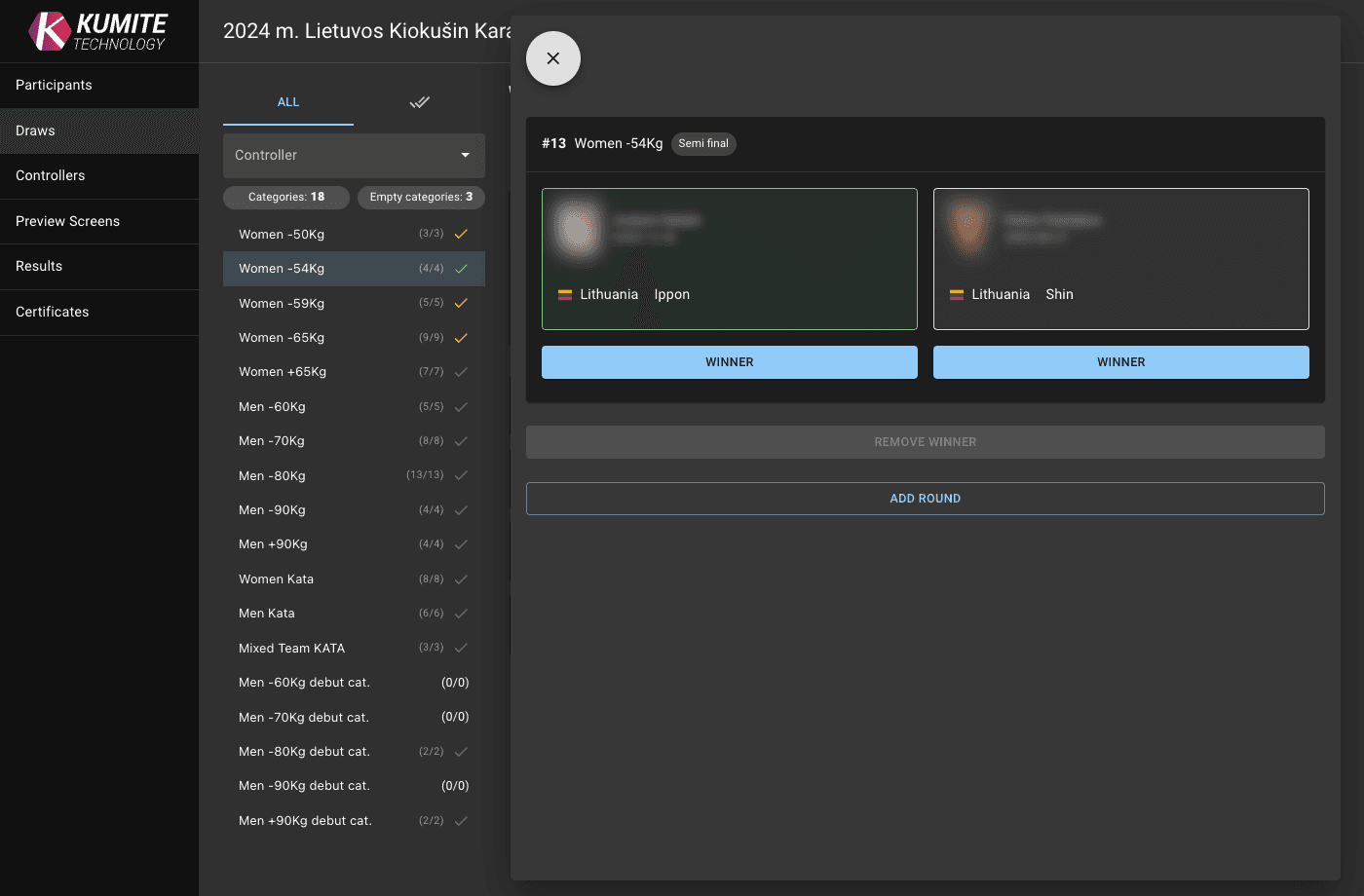
2. Change Winner or Rematch
-
Change the winner: Click
Winnerto change the winner. -
Remove the winner: Click
Remove Winnerto perform a rematch. The bout will automaticaly reappear in Controller screen, allowing the table staff to manage the fight again.