

Bout Management
Follow these steps to manage bouts in KumiteTechnology.
1. Access the Controller
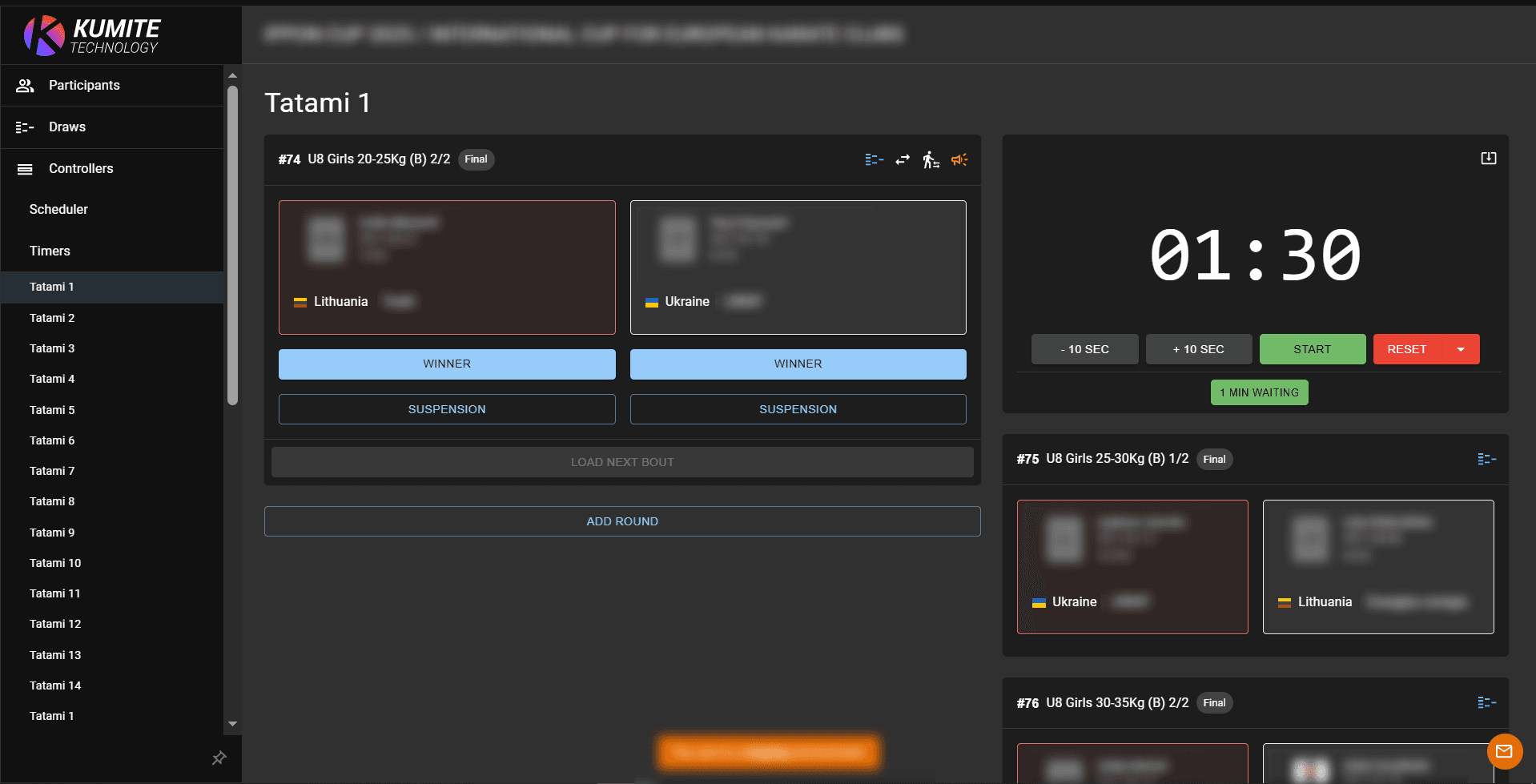
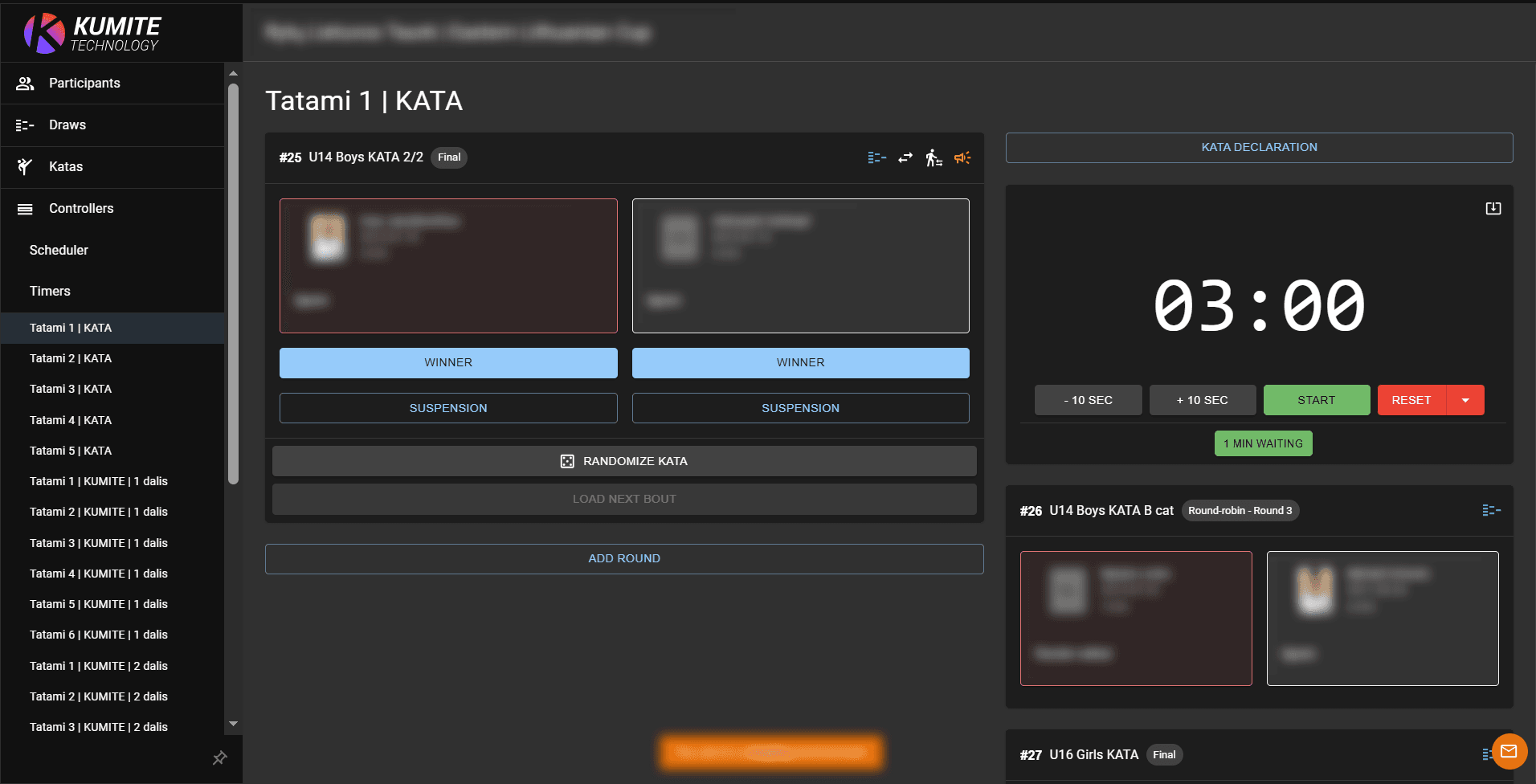
Open your tournament admin page and select Controllers from the navigation menu. Select the specific Controller (e.g., Tatami 1) you are assigned to manage.
2. Monitor the Queue
The active bout is displayed prominently in the center. The next three bouts in the queue are listed on the right side for easy preparation.
3. Manage Bout Time
Click the Start button to begin the countdown. The timer automatically syncs with preview dashboards and live stream overlays.
4. Track Points and Warnings
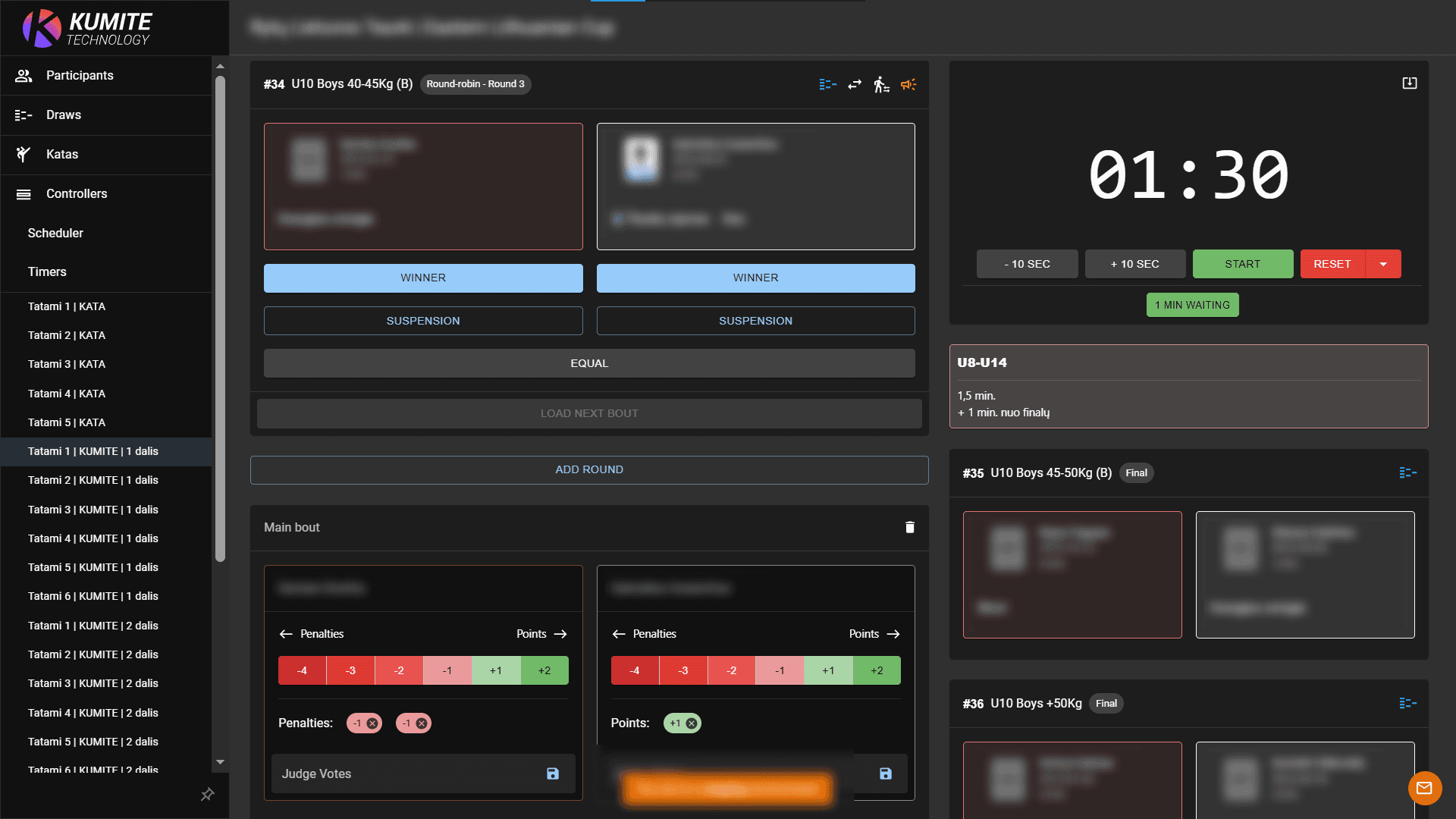
Click Add Round to start scoring. Update points and warnings for each participant in real-time. If an extension is needed, click Add Round again.
5. Declare the Winner
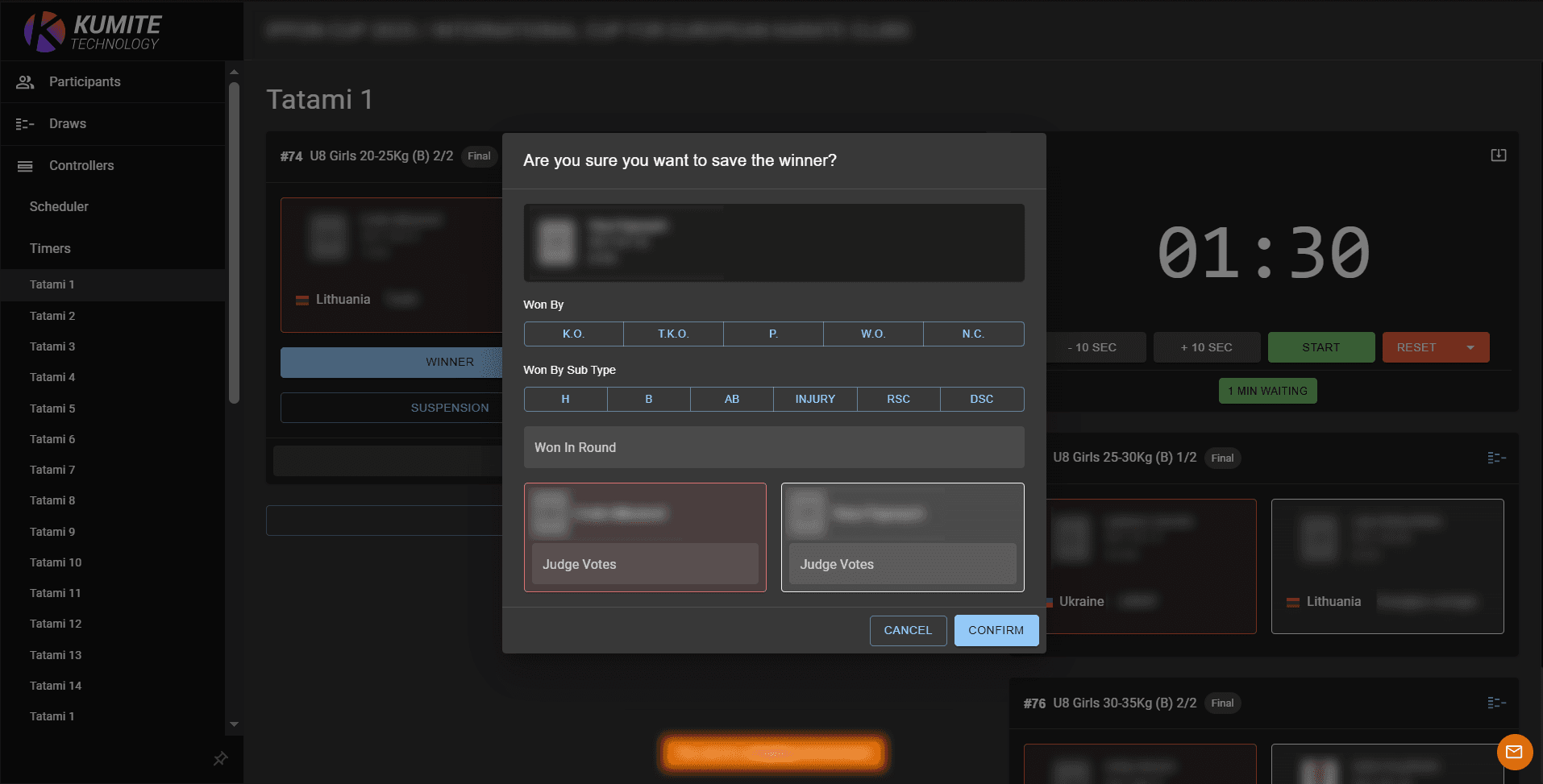
Click the Winner button below the victorious participant and click Confirm. You can also record how the bout was won, including K.O., T.K.O., Points, Walkover, or No Contest. For some results, you can also specify the subtype, the round in which it happened, and the number of votes given by each judge.
6. Load Next Round
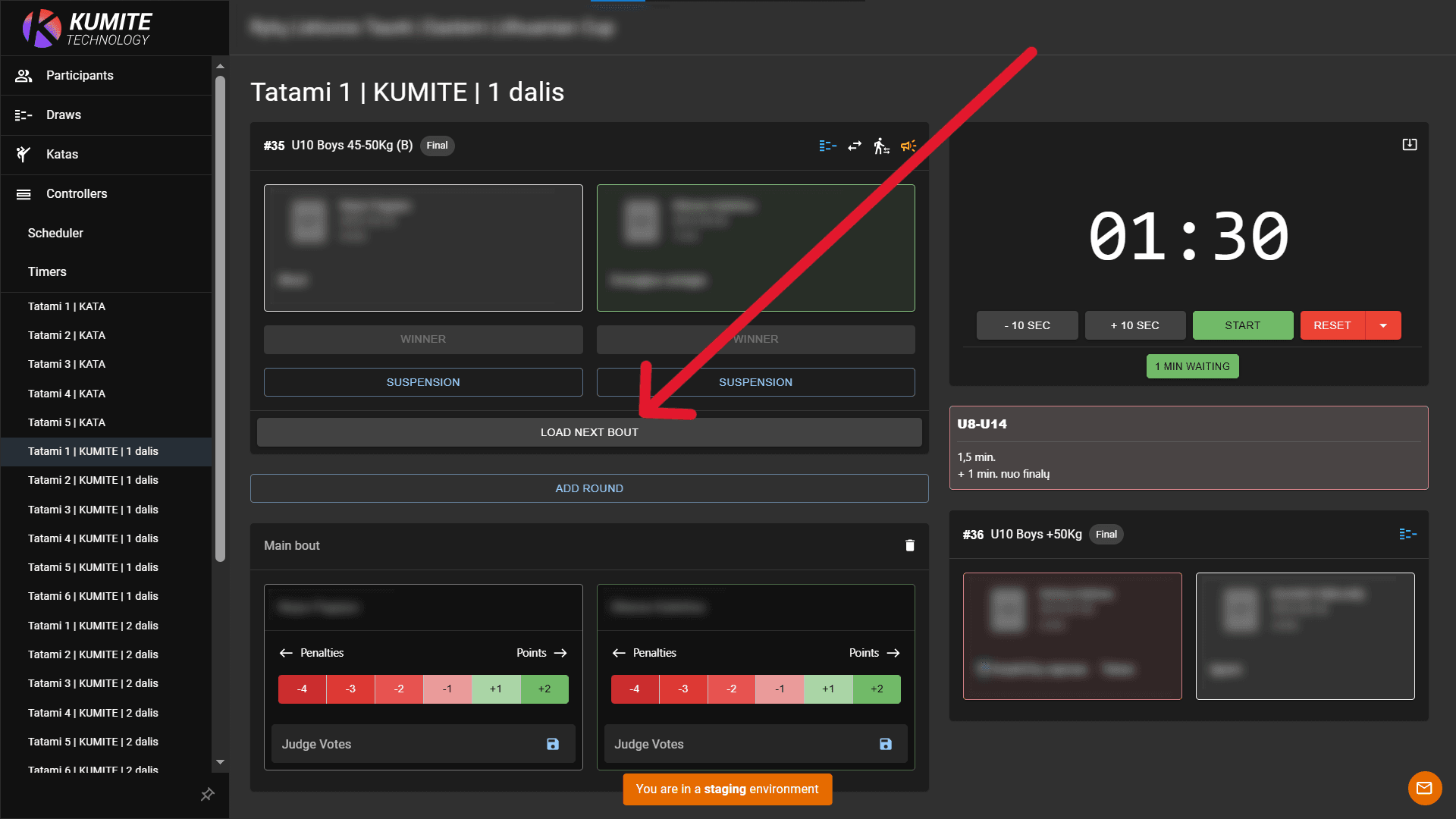
Click the Load Next Round button.
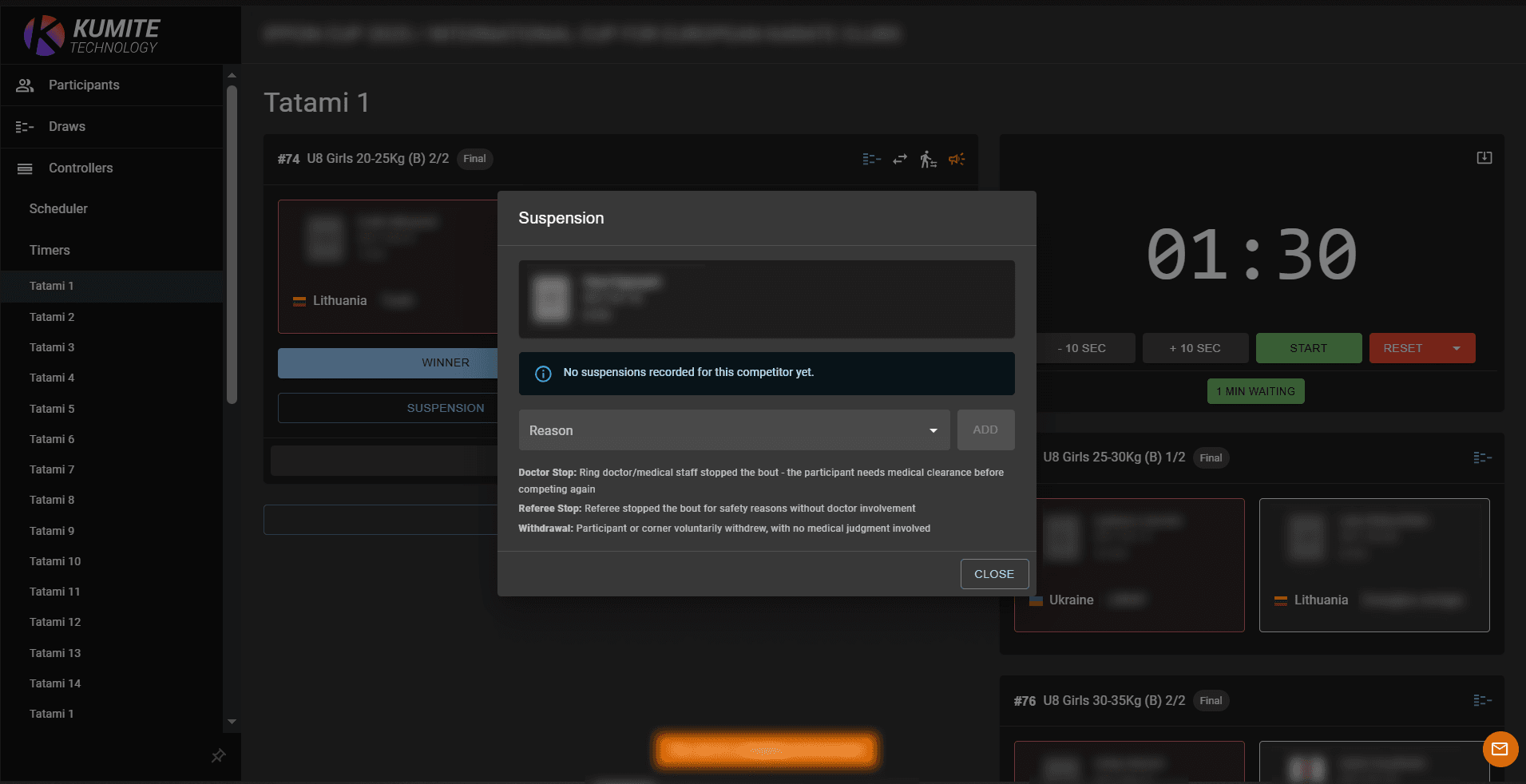
7. Record a Suspension (if needed)
Each participant on the bout card has a Suspension button. Use it to record a medical or referee stoppage such as Doctor Stop, Referee Stop, or Withdrawal. The recorded suspension is shown as an indicator on the bout card.
8. Kata Declaration (if needed)
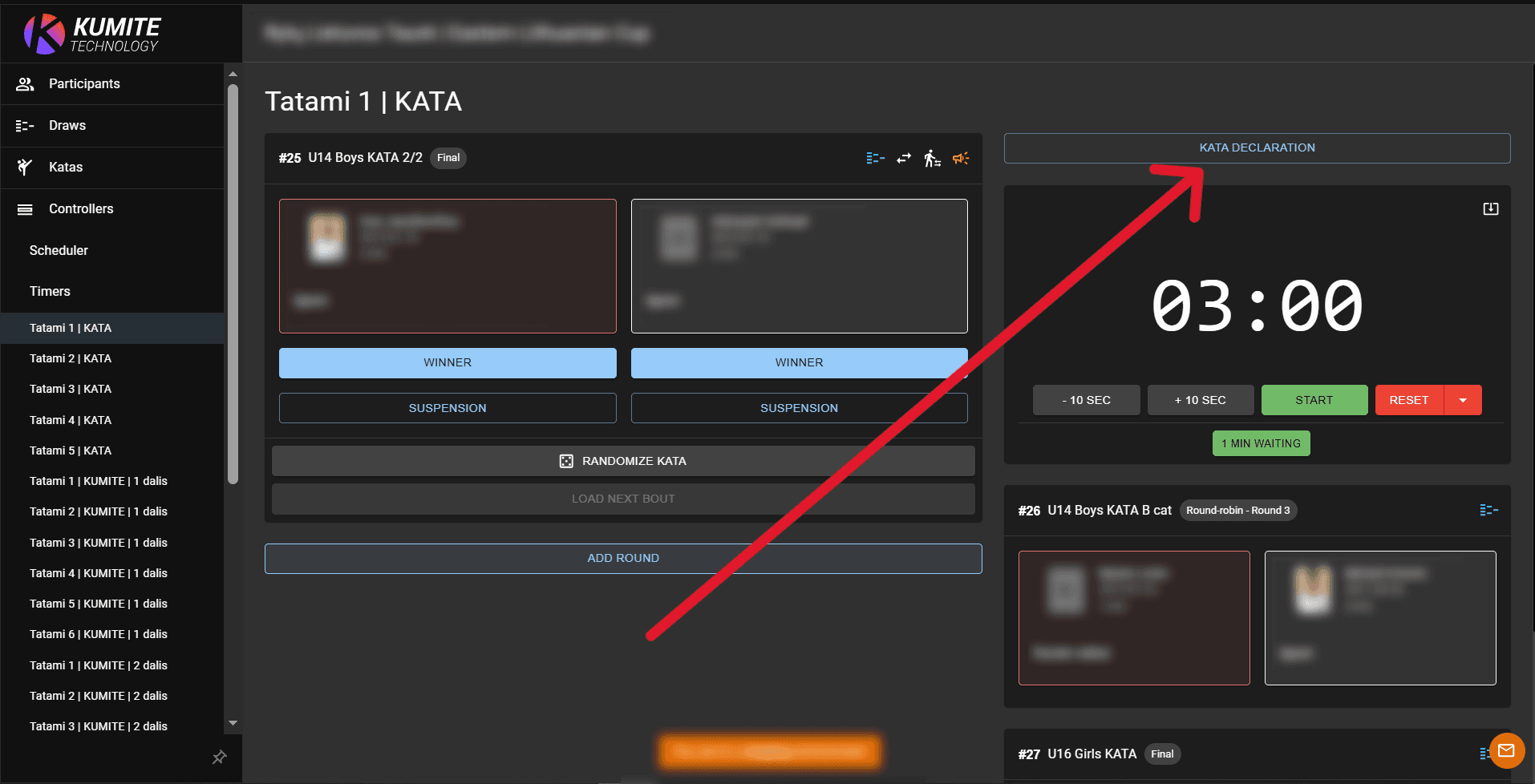
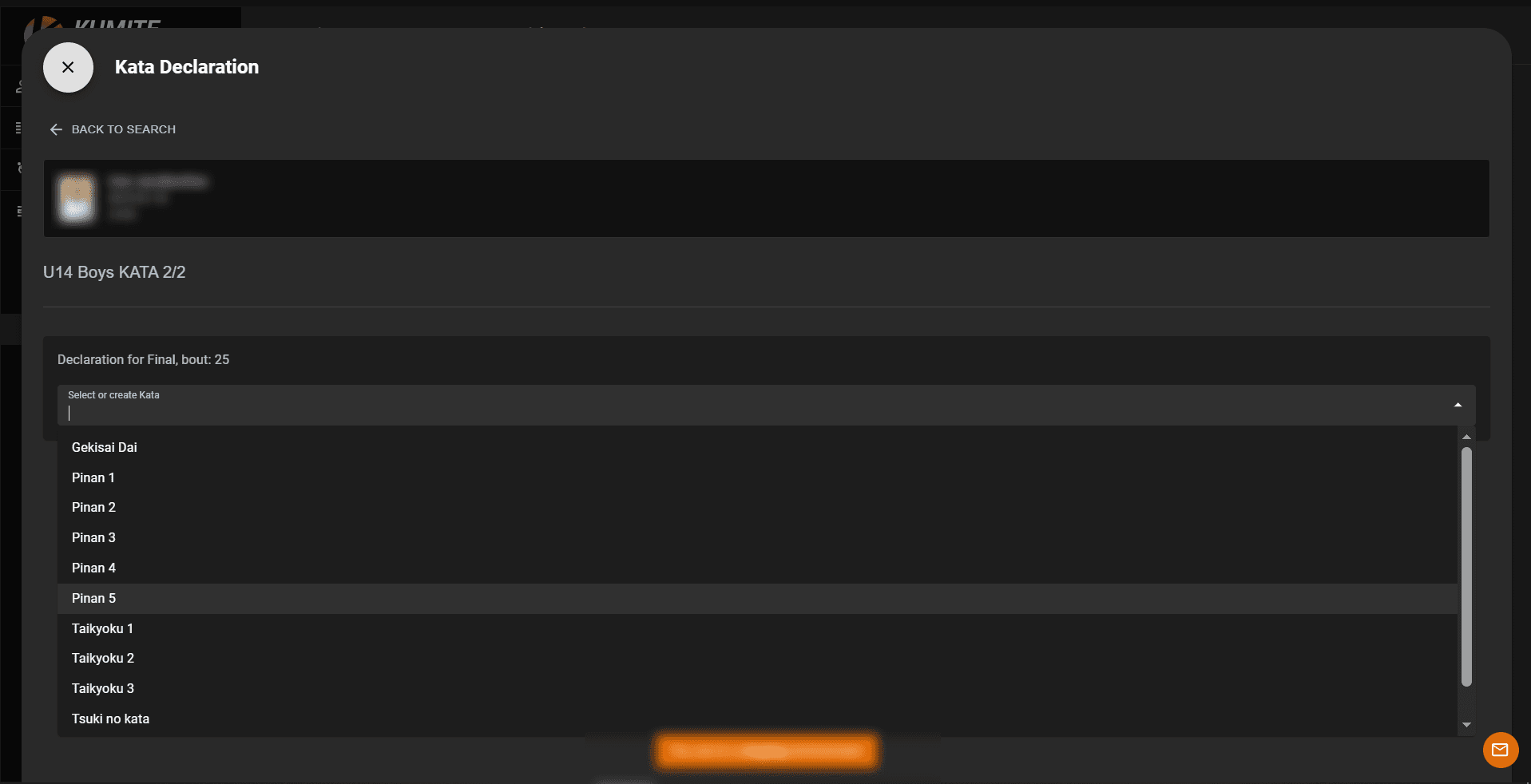
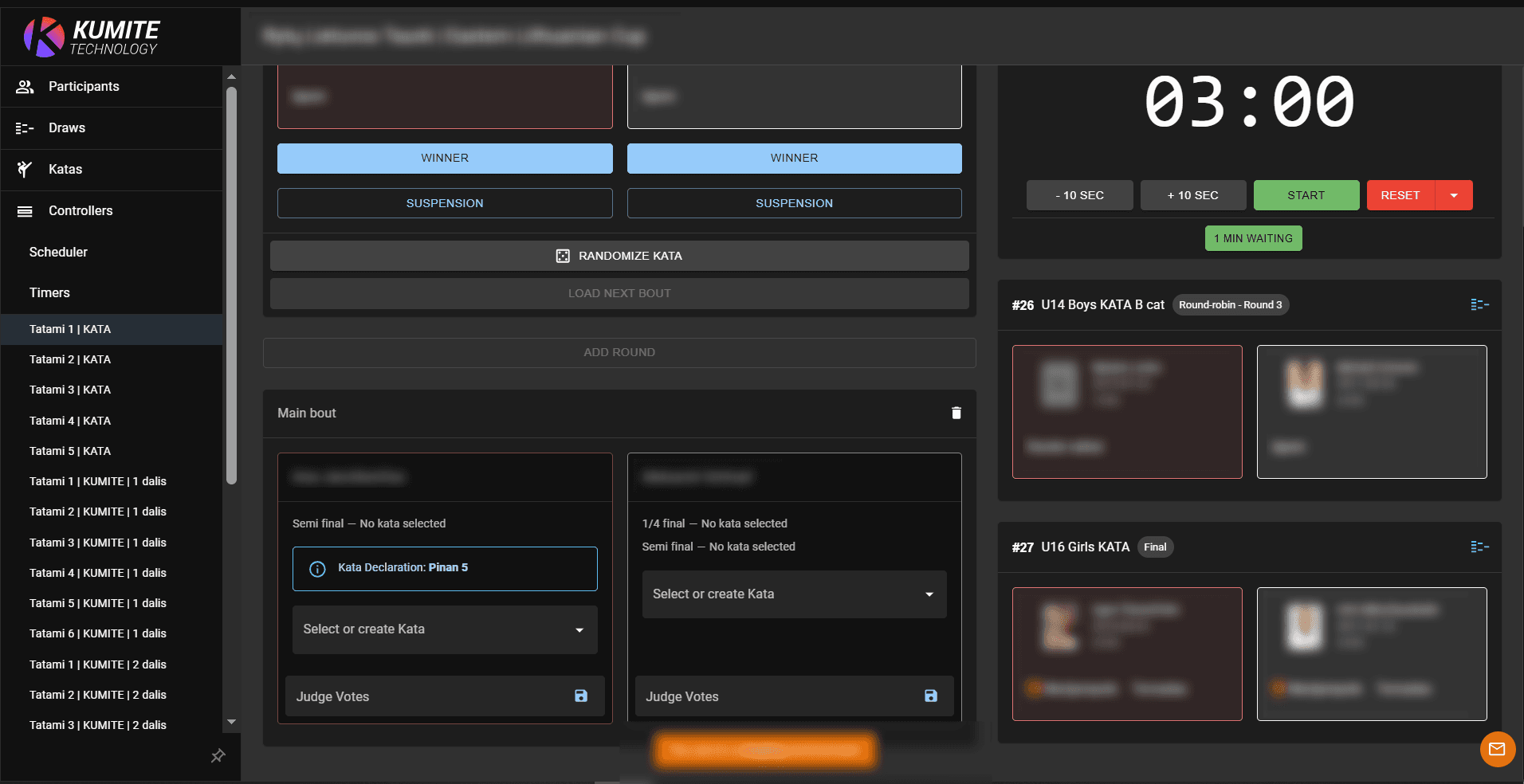
Click Kata Declaration to select the kata a participant or team will perform in advance. Once declared, the selected kata is shown on the bout card and can be used to verify that the performed kata matches the declaration.
9. Randomise Kata (if needed)
Click Randomise Kata to automatically select a kata for the participant or team. You can randomise from a specific kata group or from all available katas.
The randomly selected kata is also shown in the preview screen, allowing referees to see the randomisation.
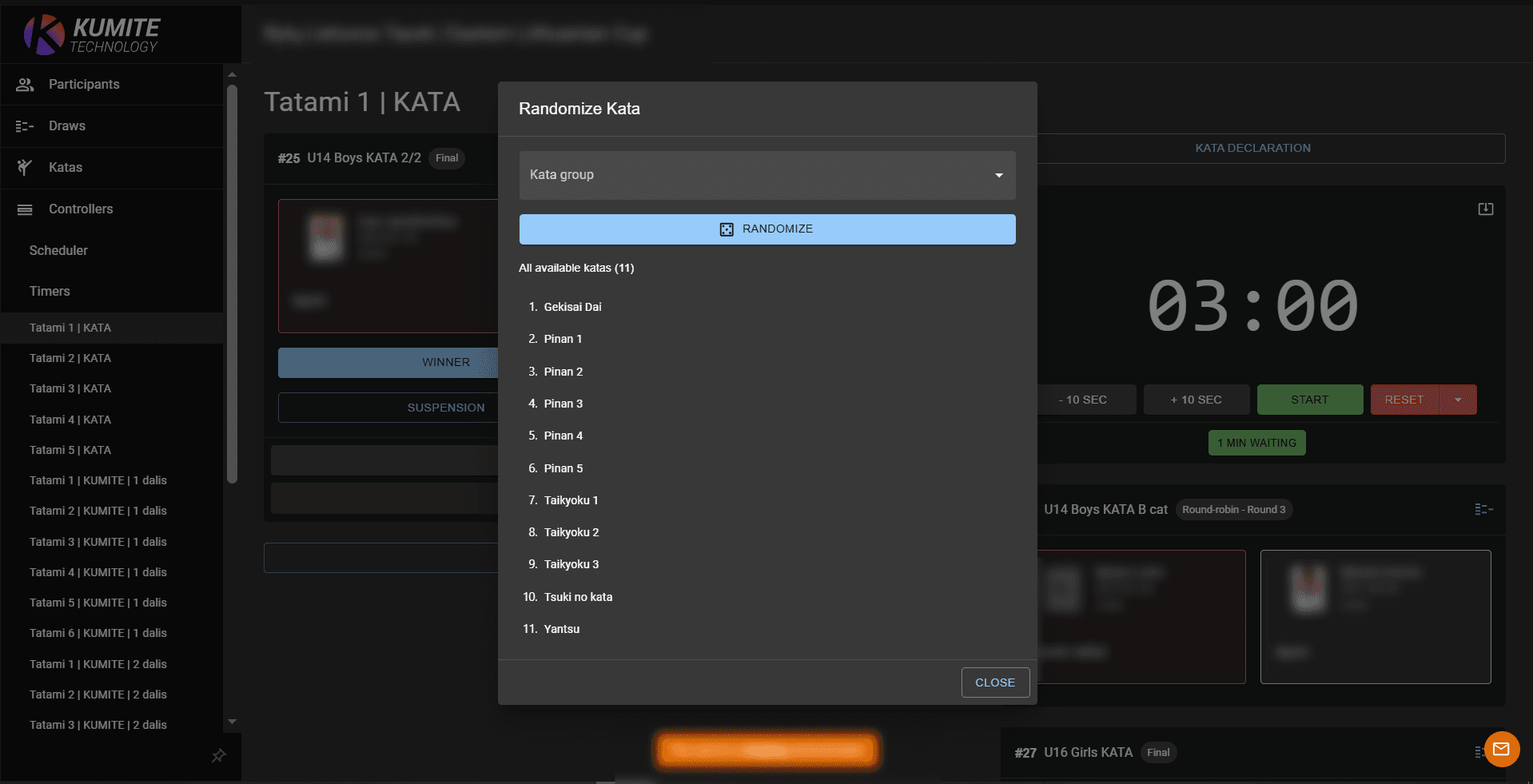
Note: If no katas are available to select, the tournament Administrator must use the Katas section to add or configure the available katas first.