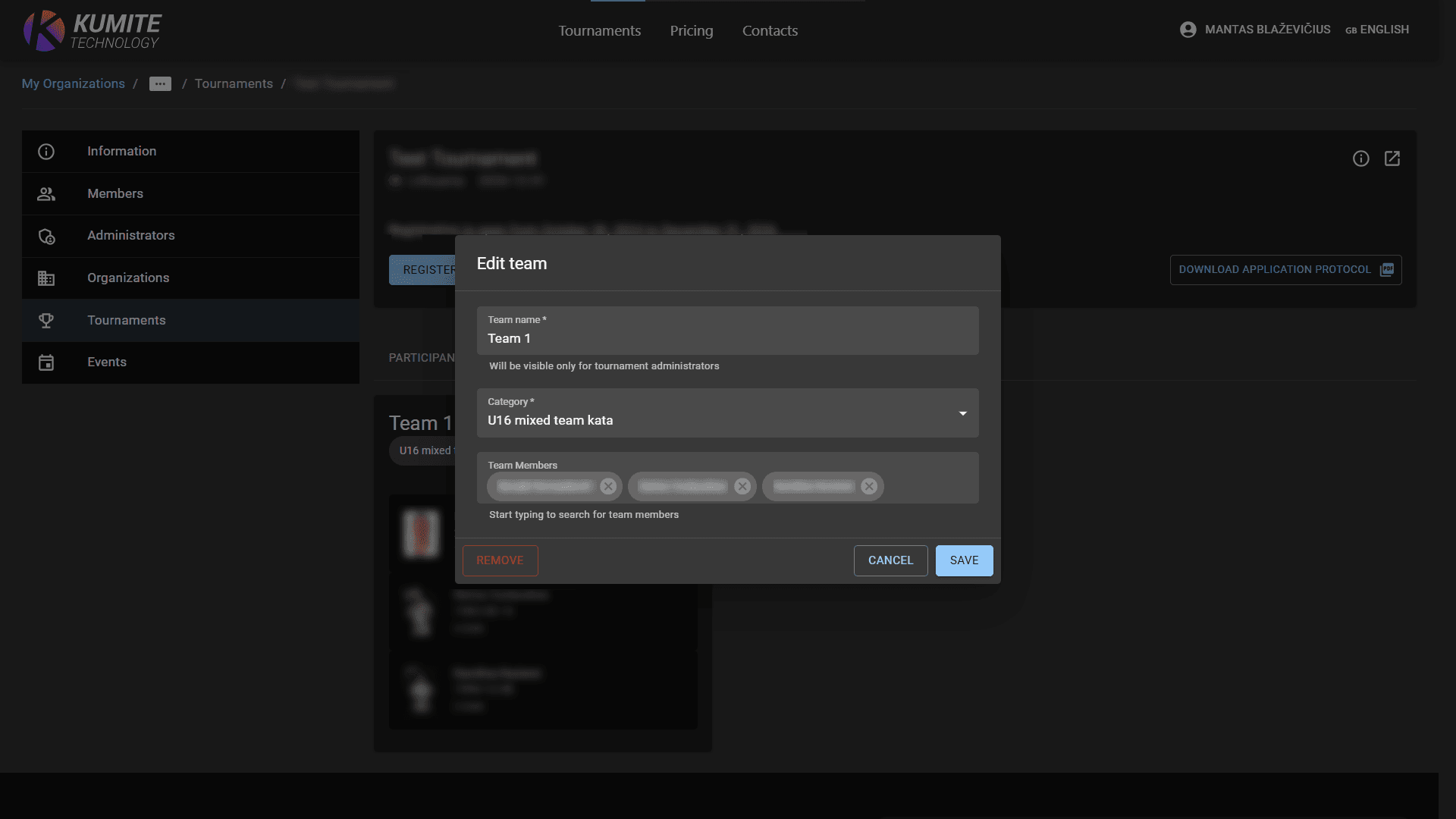

Register Teams to Tournament
If a tournament includes team categories, you can register your school's teams in KumiteTechnology by following these steps.
Register Teams
1. Go to Tournament
Open your school dashboard and select Tournaments from the navigation menu.
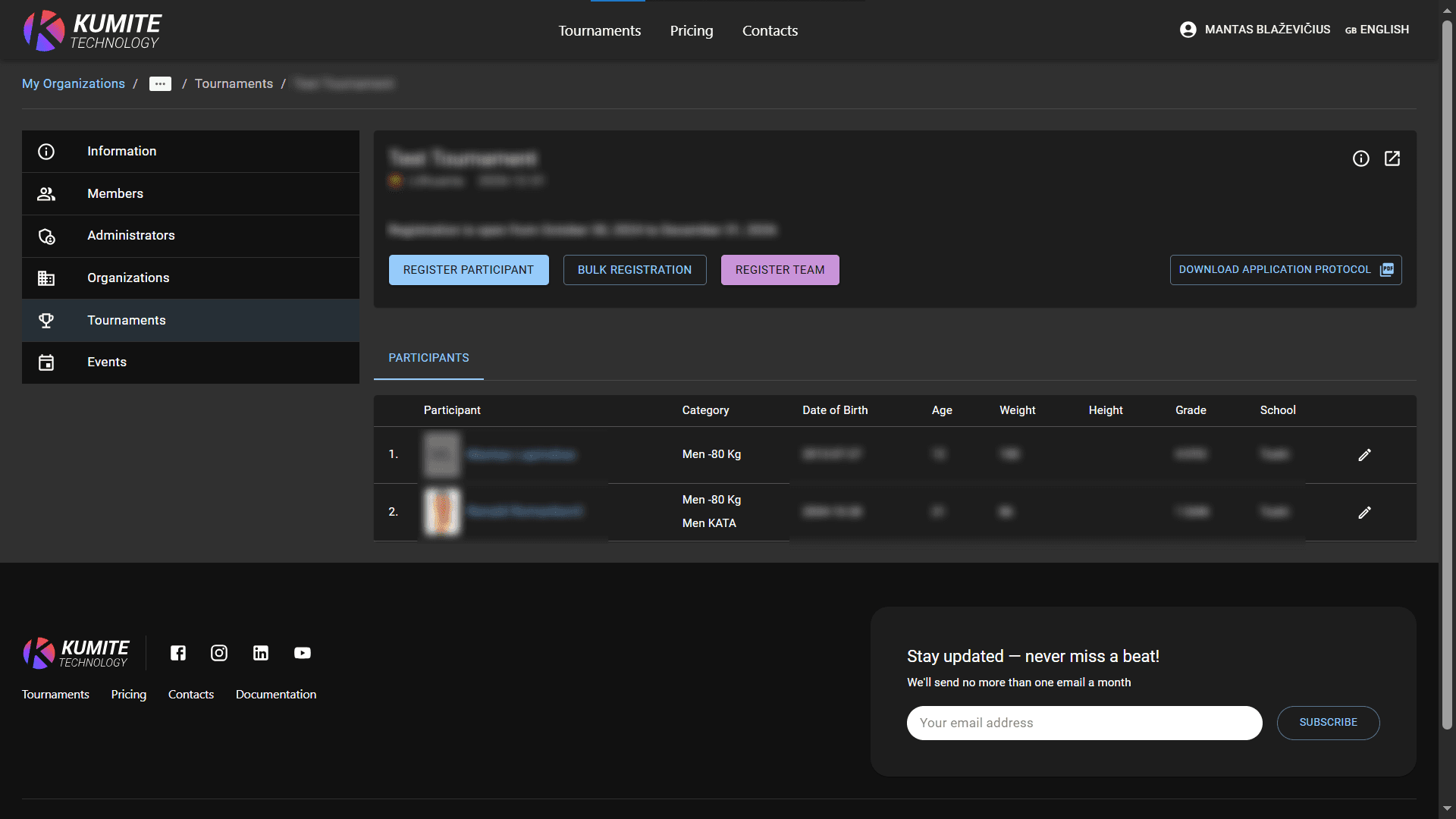
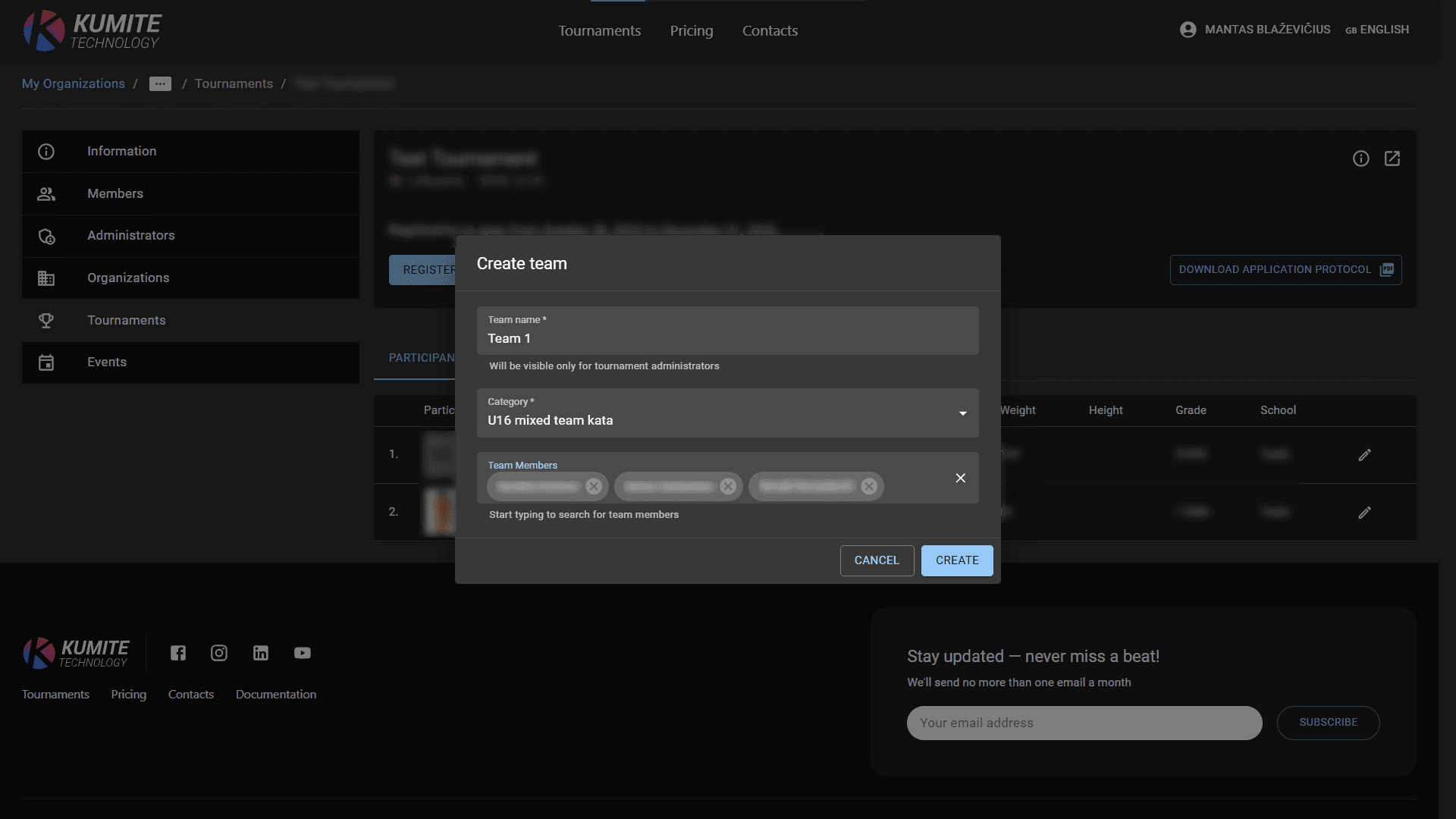
2. Add Team
Click Register Team, fill in the team name and select the members for the team. Click Create.
Manage Registered Teams
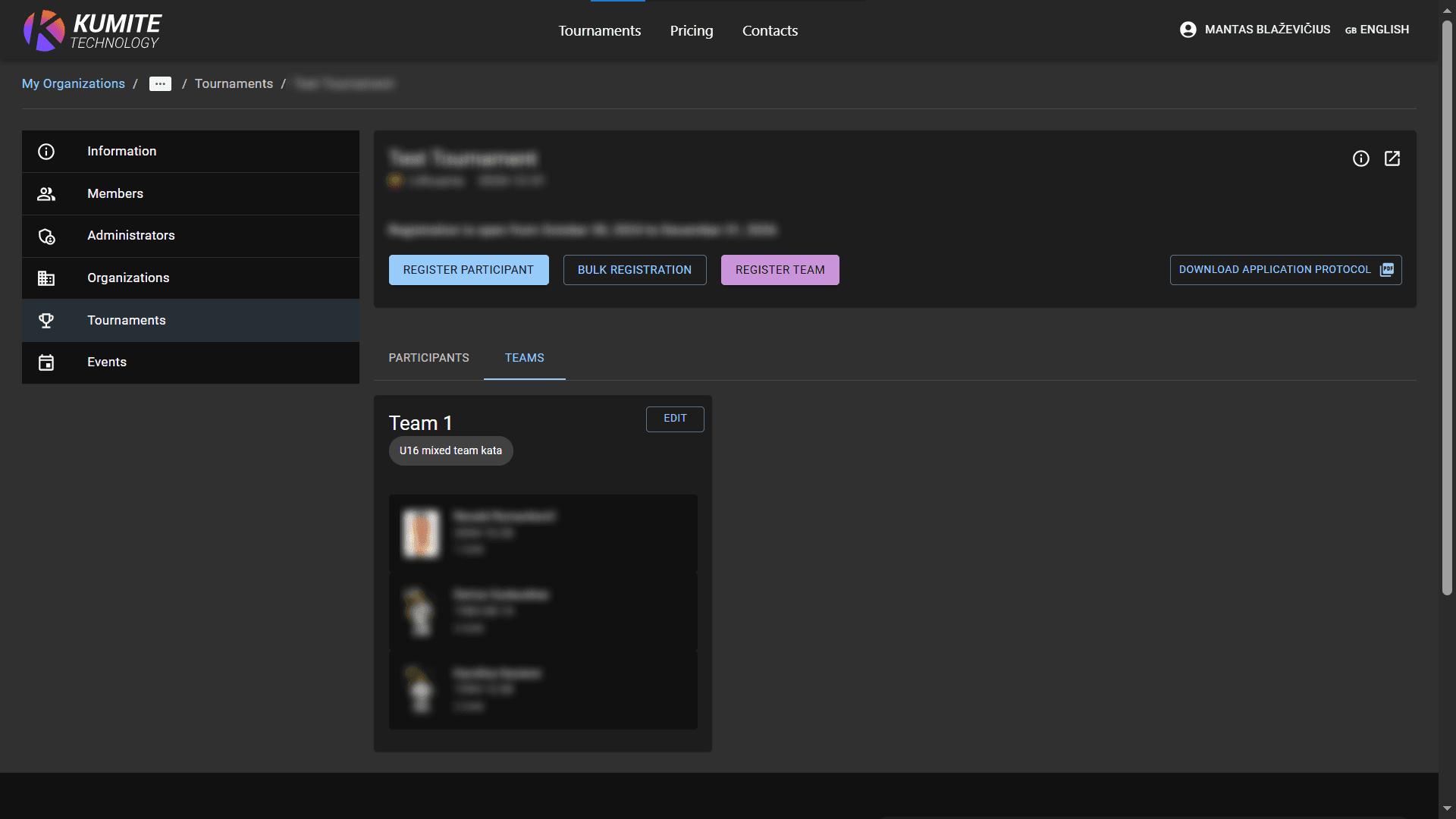
1. View Teams
Switch to the Teams tab to see all your entries.
2. Edit or Remove
Click the Edit next to a team name. You can change the name, swap players, or click Remove to cancel the team's registration.