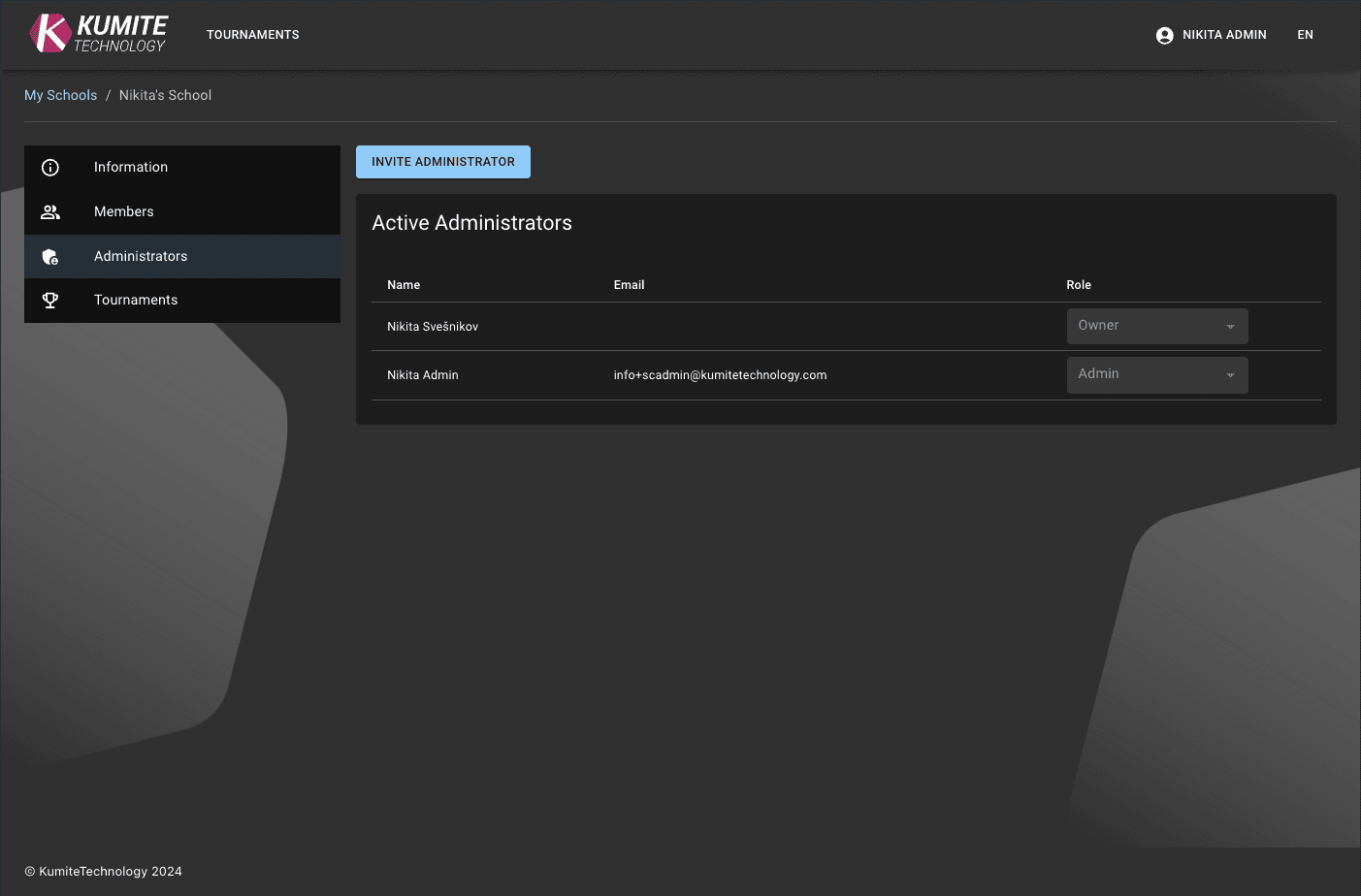

Administrators
Administrators help manage operations and have more permissions than regular members.
Follow these steps to add administrators in KumiteTechnology.
Send an Invitation
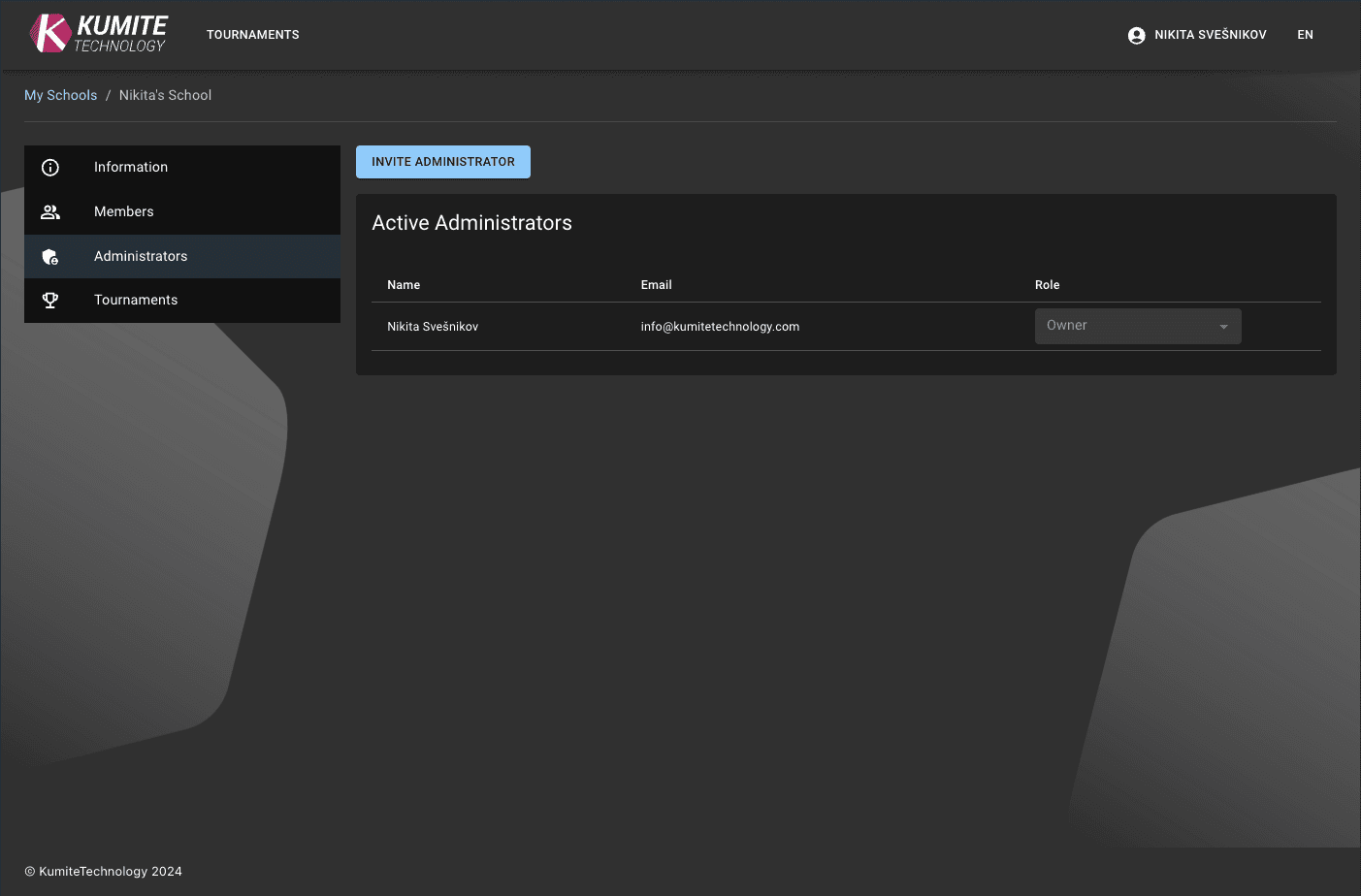
1. Go to Administrators
Open your organization dashboard and select Administrators from the navigation menu.
2. Invite Staff
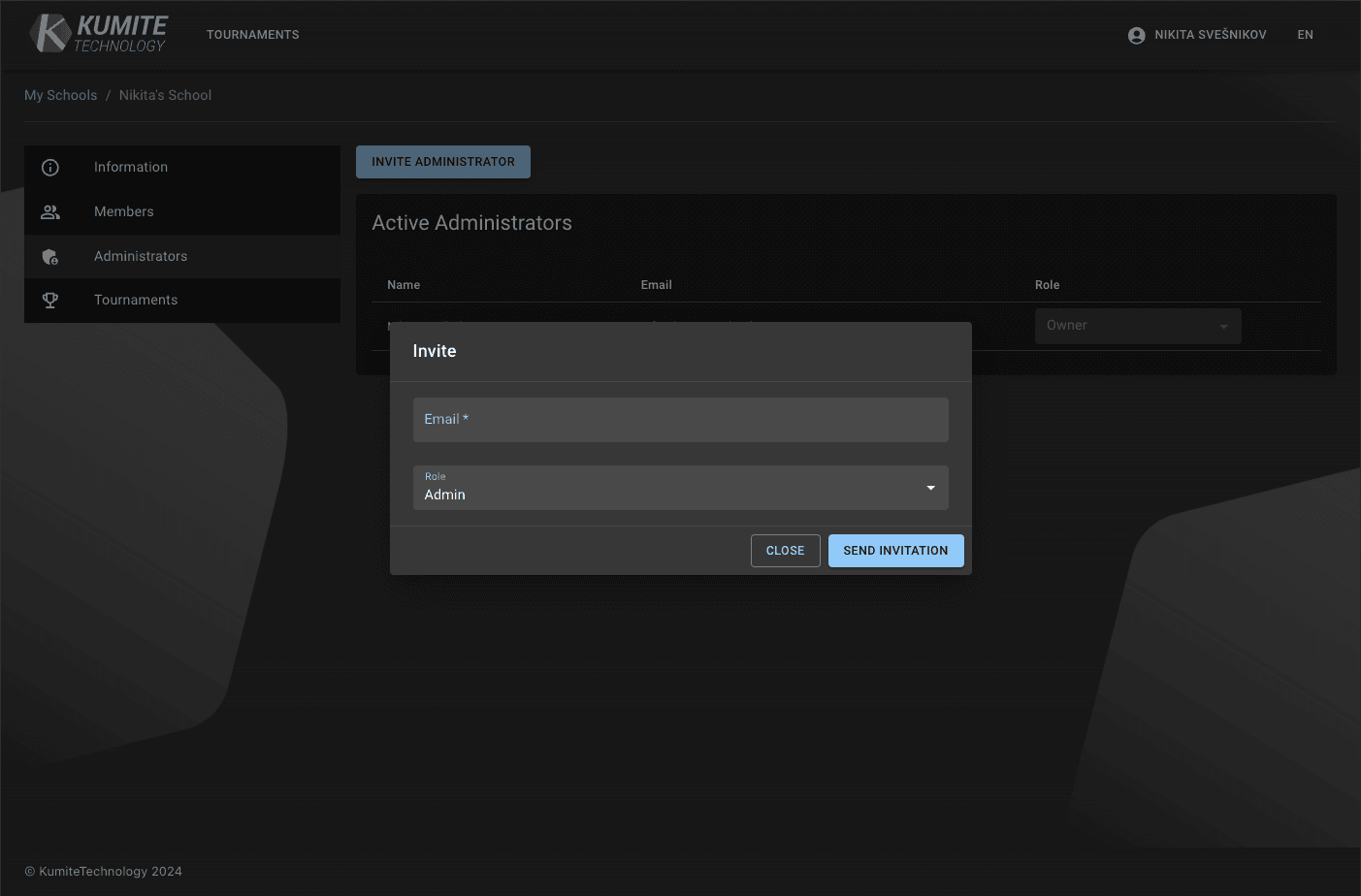
Click the Send invite button. Enter the person's email address and click Send invitation.
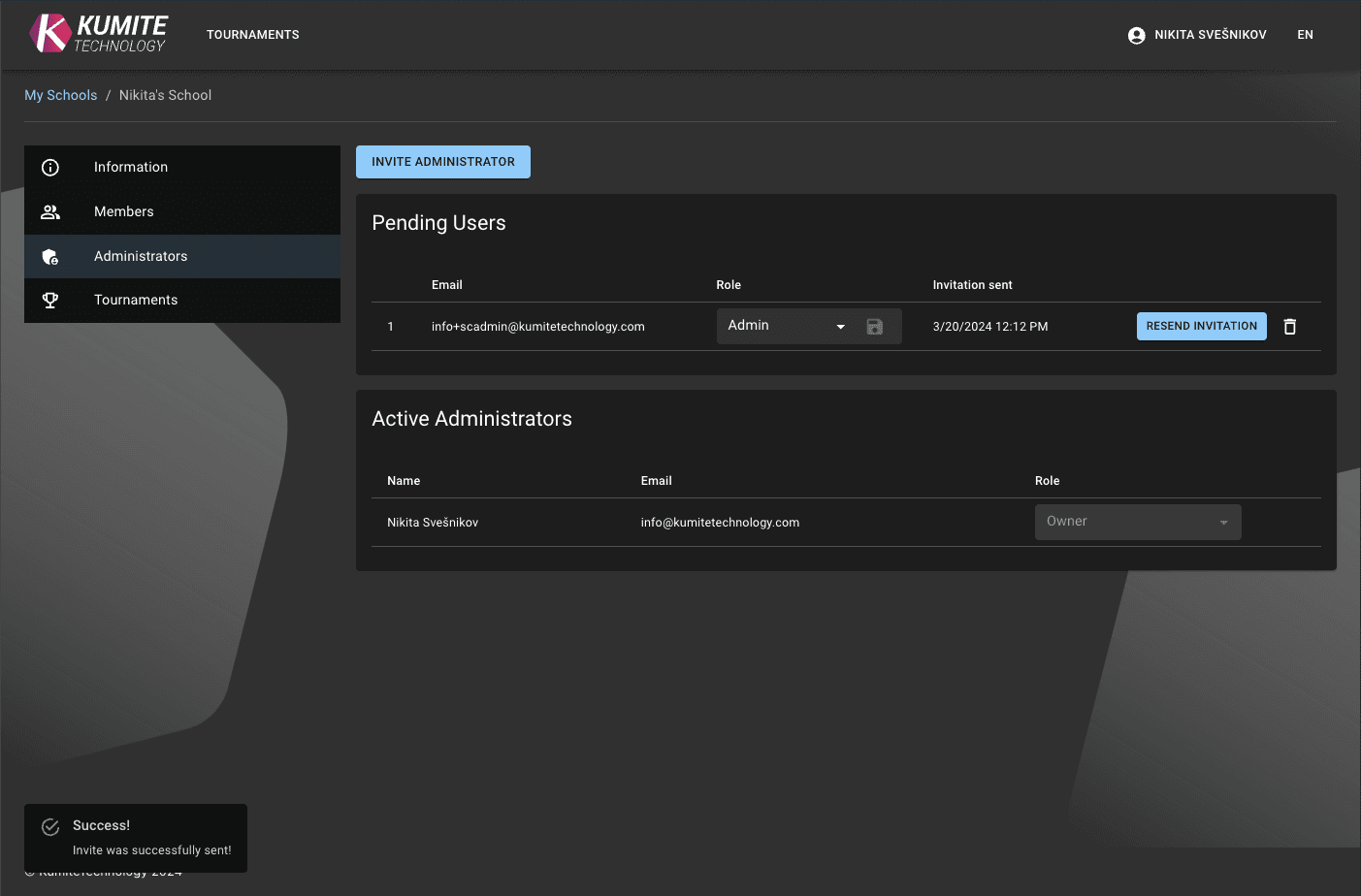
3. Confirmation
You will see a success message, and an email will be sent to the invitee.
Accept an Invitation
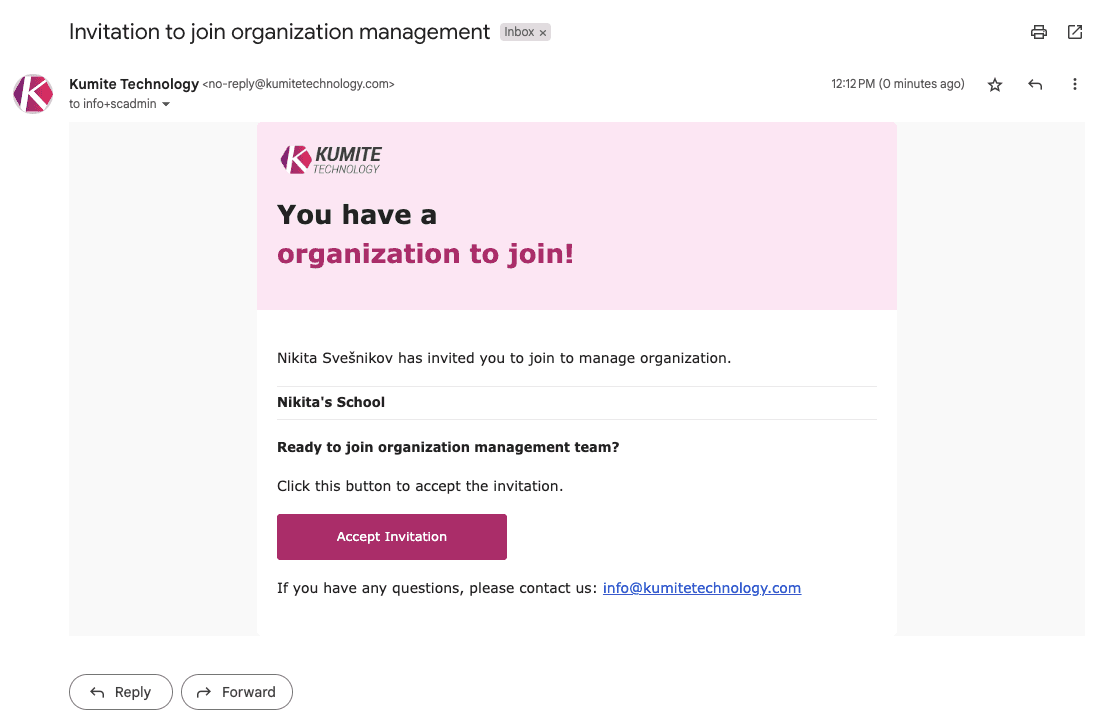
1. Open Email
The person will receive an email with an invitation link.
2. Login or Register
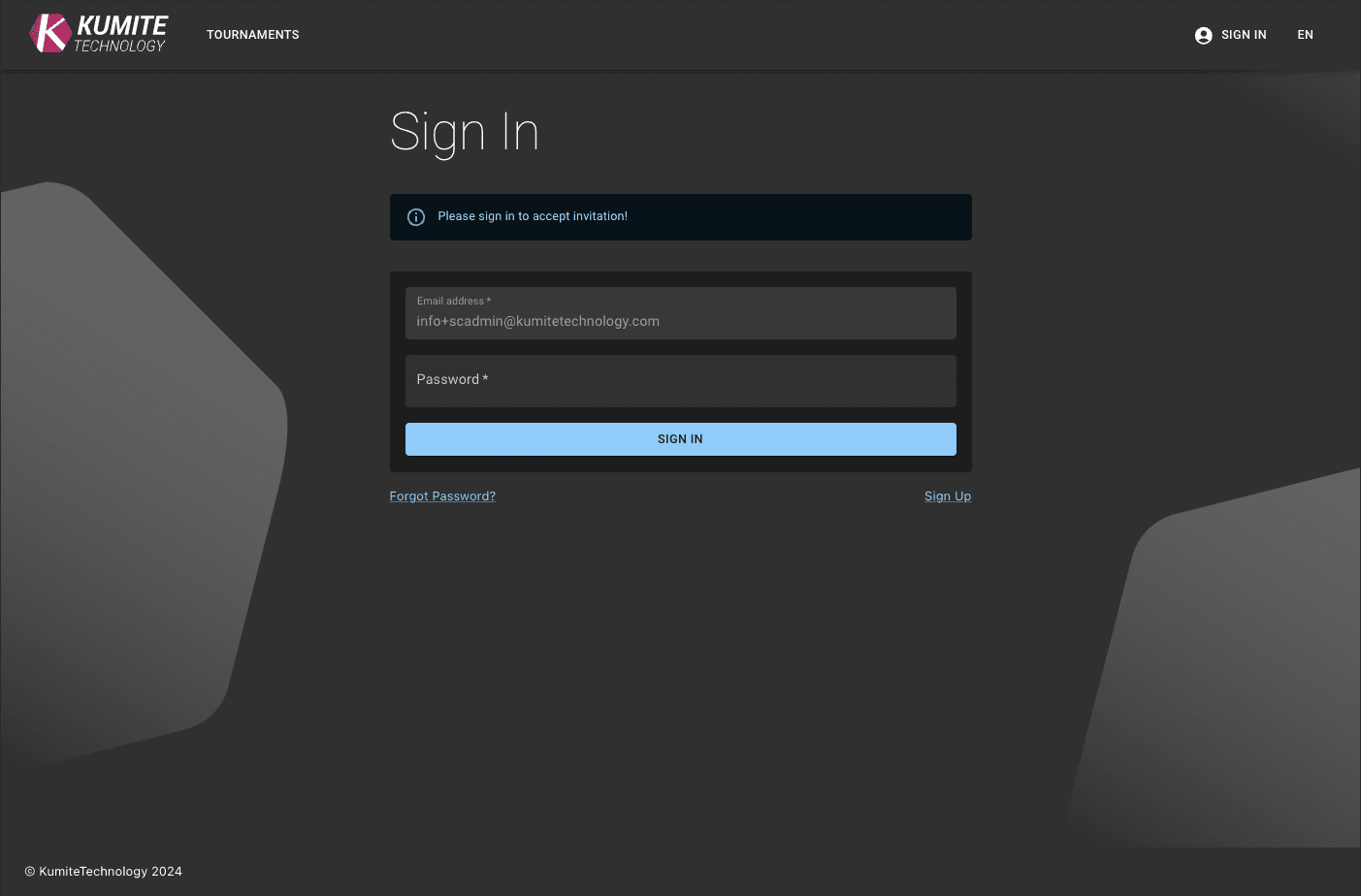
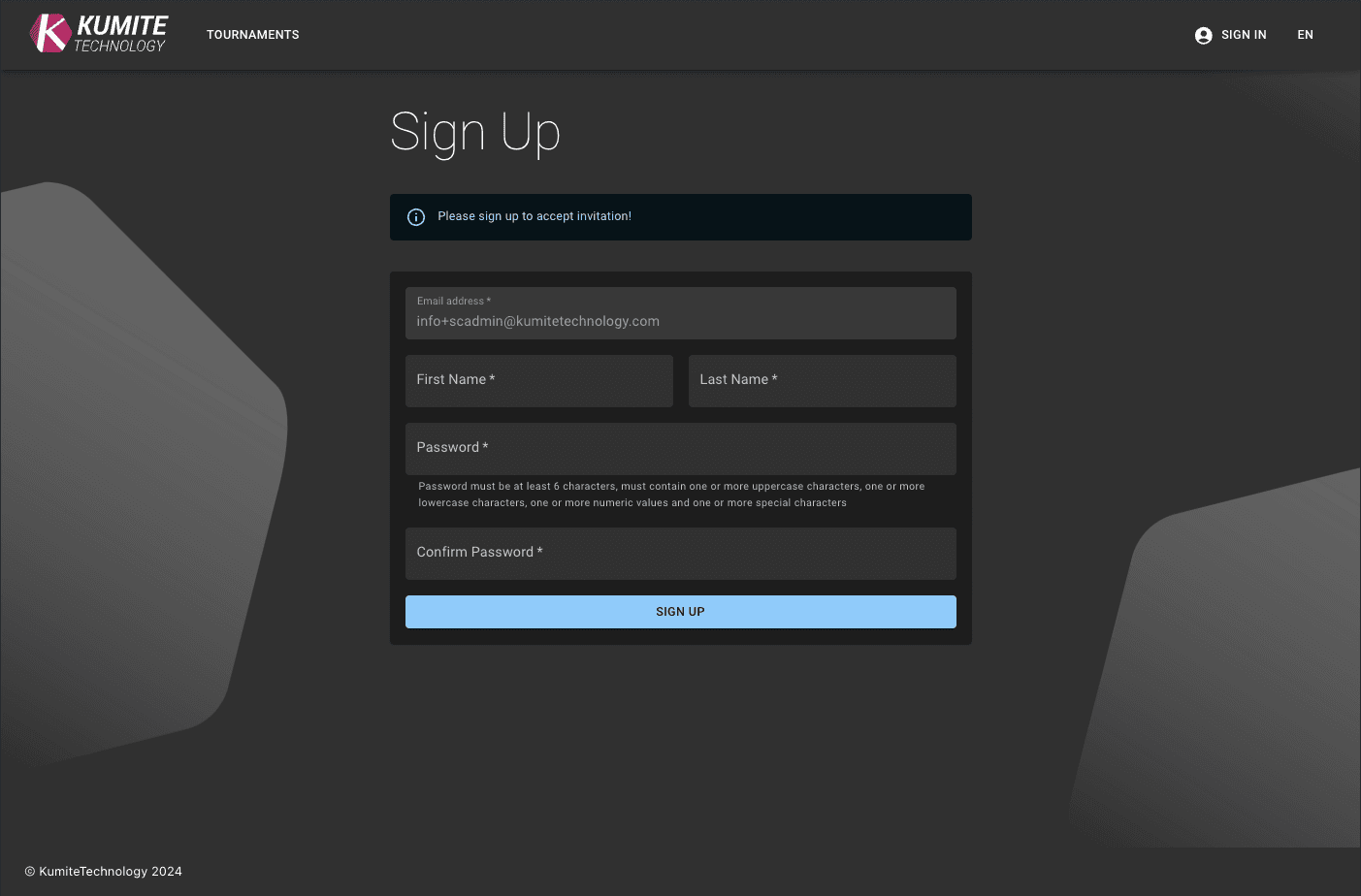
After clicking the link, they must log in to their existing account or create a new one.
3. Success
Once they accept, they will be redirected to the organization dashboard as an administrator. You will see them in your Administrators table.